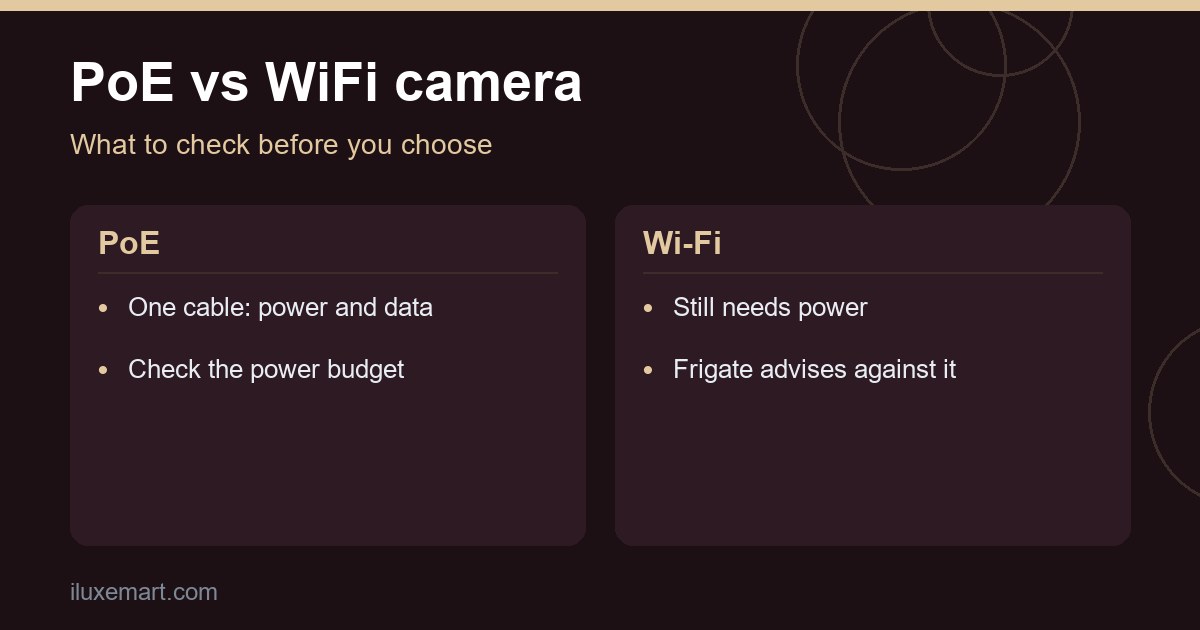
The poe vs wifi camera question comes down to two things: how the camera gets power, and how its video gets to your recorder. A Power over Ethernet (PoE) camera can take both from one network cable. A Wi-Fi camera sends video by radio and still needs power from somewhere. If you record locally with Frigate, its documentation also takes a side.
We read five pages on 25 November 2026: two NETGEAR support articles on PoE, Frigate’s recommended hardware page, the Home Assistant ONVIF integration page and the ESPHome Ethernet page. We tested no camera, switch or cable. We name no camera models and give no prices. Where the reasoning is ours, we say so.
Table of Contents
The poe vs wifi camera difference in one table
This table is our summary of the pages below, plus our own plain reading of how a Wi-Fi camera connects.
| Question | PoE camera | Wi-Fi camera |
|---|---|---|
| Where does power come from? | A PoE switch or injector, over the network cable | A separate source |
| What carries the video? | The cable | Your wireless network |
| What must you add up? | The switch’s power budget | None of the pages we read gives a Wi-Fi figure |
| What does Frigate’s page say? | It names no PoE rule | It advises against Wi-Fi cameras |
The last row matters: the Frigate sentence we found is a warning about Wi-Fi. It is not an endorsement of any PoE product.
What Frigate says about Wi-Fi cameras
Frigate is camera recording software with object detection that you run on your own hardware. Its recommended hardware page says “WiFi cameras are not recommended as their streams are less reliable”. It adds that this causes lost connections or lost video, especially when more than a few Wi-Fi cameras are in use at once.
The page gives no figures with that warning, so we cannot say how often this happens or how many cameras count as a few. Your walls, router and distance are also outside what it covers. That page also carries affiliate links to specific cameras. We did not use them and recommend none.
The same page says H.264 video with AAC audio gives the most compatibility with Frigate and Home Assistant. It also finds more than one substream helpful. The page does not tie either point to cable or Wi-Fi, so in our view you should check both in any poe vs wifi camera comparison. Our Frigate beginner guide covers what else the recorder needs.
How PoE power works
Power is the side of the poe vs wifi camera choice where the pages give actual numbers. NETGEAR’s support pages describe two sides. The device that sends power is the power sourcing equipment, usually a PoE switch or an injector. The device that receives it is the powered device, such as an IP camera. NETGEAR says a switch can power several devices, while an injector generally powers one.
The standards NETGEAR lists are IEEE 802.3af (PoE), 802.3at (PoE+) and 802.3bt (PoE++). These are a vendor’s summaries, not the IEEE text itself, so treat the per-port and class figures in this poe vs wifi camera guide as NETGEAR’s; the sums further down are our arithmetic.
| Standard | Maximum per port | Guaranteed at the device |
|---|---|---|
| 802.3af (PoE) | 15.4 W | 12.95 W |
| 802.3at (PoE+) | 30 W | 25.5 W |
| 802.3bt (PoE++) | 60 W or 90 W, by switch type | See the note below |
The gap between the two columns exists because some power is lost along the cable, and longer runs lose more. NETGEAR’s class tables assume the maximum cable length of 100 metres (328 feet). NETGEAR’s introduction gives 45.0 W as the minimum guaranteed at a PoE++ device, but its class tables show different ranges by class and switch type, so we did not put one figure in the table. Check the datasheet.
Matching also matters. NETGEAR says a newer switch standard can power older devices, but a switch that supports only 802.3af powers only 802.3af devices. An ordinary non-PoE switch powers none of them.
Add up the power budget before buying
In our view, this step is easy to miss in a poe vs wifi camera comparison. A PoE switch has a power budget: the total watts it can supply across all ports at once. NETGEAR says most switches cannot give the maximum to every PoE port, and points to the datasheet for the figure.
NETGEAR’s class table for its PoE, PoE+, PoE++ and Ultra60 switches lists a minimum allocation at the switch port of 7 W for class 2, 15.4 W for class 3 and 30 W for class 4, with maximums of 7.4 W, 16.2 W and 31.6 W. Its separate Ultra90 table lists the same three minimums and has no maximum column. Here is our own arithmetic from those figures. These are examples, not any real camera’s draw.
| Example set | Sum of minimum allocated power |
|---|---|
| 4 class 2 devices | 28 W |
| 4 class 3 devices | 61.6 W |
| 6 class 3 devices | 92.4 W |
| 3 class 3 and 1 class 4 | 76.2 W |
With the maximum column instead, our same four examples come to 29.6 W, 64.8 W, 97.2 W and 80.2 W.
Two details change the sum. NETGEAR says many devices need less than their standard’s maximum, and that all ports can then work if devices report their class correctly. It also says a device with no proper class (class 0) is usually allocated as much as class 3, even if it uses far less.
If demand goes over budget, NETGEAR’s article says PoE is switched off on the highest-numbered active port, so that lower-numbered ports are supported first. Other brands may behave differently. We did not check any. In our view, a cautious habit is to read each camera’s PoE class, add the figures (using the higher figure where NETGEAR’s table for your switch type gives two), compare the total with the datasheet budget and leave room for one more camera.
ONVIF setup in Home Assistant
Home Assistant’s ONVIF page does not mention PoE at all. It says the integration works with ONVIF Profile S conformant devices and needs the ffmpeg integration set up first. In our reading, whichever way you go in the poe vs wifi camera choice, check an ONVIF camera for both Profile S conformance and an H.264 stream.
- The page says the integration adds entities for all compatible profiles set to H.264. Its troubleshooting note says it looks for H.264 streams to find cameras.
- The page recommends a separate user on the camera for Home Assistant, and says a standard user is enough for current features.
- One option rewrites camera timestamps. The page says it may help playback or crashes with Wi-Fi cameras or certain brands.
- Discovery may find the camera. If not, add it under Settings > Devices & services.
In our reading, that timestamp note is not a verdict on Wi-Fi. It is one named workaround. For the protocols themselves, see ONVIF vs RTSP.
What about wired ESPHome boards?
Cameras are not the only devices that can use a cable. The ESPHome Ethernet page says its component gives wired Ethernet to ESP32 and RP2040 boards, with a list of supported chips. It includes example settings for several boards with PoE in their names, such as the Olimex ESP32-POE.
It also says that on ESP32 chips, Ethernet and Wi-Fi can be set up together with a network priority list, while other platforms use one interface. An example setting does not show how a board behaves on your switch. Check the board maker’s own power details before you plug it in.
PoE vs WiFi camera: when each makes sense
None of the pages ranks homes or buyers. The following poe vs wifi camera advice is our judgement.
Lean to PoE if you plan to record with Frigate, want several cameras, or can run cable to each spot. You get one cable per camera, and you can place the switch and any backup power together. Our small UPS guide covers keeping network gear running through a power cut.
Wi-Fi may be the only practical option if you rent, cannot drill, or have one camera where no cable can go. If so, treat Frigate’s warning as a reason to test that one spot before buying more. Check the signal there, and watch the recording for gaps over several days. Our mesh Wi-Fi guide covers coverage choices, though no guide can promise a stable stream.
Cabling through walls, lofts or outdoors can involve building rules and weather sealing. We did not research those. Ask a qualified installer if you are unsure, and keep mains electrical work with a licensed electrician.
Your camera decision checklist
- Decide where recording happens. See local NVR vs cloud camera.
- Walk each camera spot and ask whether a cable can reach it.
- For wired spots, note each camera’s PoE class and standard.
- Add the allocated watts (in our view, use the higher figure where NETGEAR’s table gives two) and compare the total with the switch budget.
- Confirm H.264, and ONVIF Profile S if you want that integration.
- Plan disk space with our camera storage worked example.
- Decide how cameras are separated on your network, using our IoT VLAN or guest network guide.
In our view, a cable does not by itself keep a camera private, so the poe vs wifi camera choice is not a privacy setting. What a camera can reach on your network and the internet is, as we see it, a separate question from how it connects.
What we could not confirm
- We tested no hardware, so we have no poe vs wifi camera speed, range or reliability results of our own.
- None of the pages gives failure rates for Wi-Fi or wired cameras, so this poe vs wifi camera comparison has no measured reliability figures.
- We did not read the IEEE 802.3 standard. Power figures come from NETGEAR.
- One sentence in NETGEAR’s introduction calls plain PoE 802.3at and writes PoE++ as 802.3b, which conflicts with its other lines, so we used 802.3af, at and bt as both articles do elsewhere.
- We did not check passive PoE, non-standard injectors or any other brand’s port priority.
Your next step
List your camera spots and mark which can take a cable. In our view, that one list settles much of your poe vs wifi camera decision, and it shows which cameras need a PoE class check for the power budget.
Sources read 25 November 2026: Frigate, Recommended hardware, NETGEAR, What is PoE, NETGEAR, PoE standards and compatibility, Home Assistant, ONVIF, ESPHome, Ethernet component.
More in this series: No-subscription and private smart home guides.