
Mesh Wi-Fi System: Key Takeaways
- A mesh Wi-Fi system adds access points where signal is weak, fixing dead zones that a single router cannot.
- Wired backhaul in a mesh Wi-Fi system frees full wireless bandwidth for devices and yields more consistent speeds.
- Choosing node count for a mesh Wi-Fi system should match the home’s layout, not the advertised square-footage.
- Some mesh Wi-Fi system brands lock security and parental controls behind a recurring subscription after a free trial.
Buying a more expensive router to fix a Wi-Fi dead zone is one of the most common wastes of money in home electronics. A single router, regardless of price, broadcasts from one physical point in the house. If a bedroom, garage, or backyard sits far enough from that point, or behind enough walls, no amount of router quality closes that gap. What actually solves it is a second (or third) access point working with the first, which is what a mesh system is.
Table of Contents
What Makes a System “Mesh,” Not Just Multiple Routers
Plugging in a second wireless router at the other end of the house is not mesh Wi-Fi. It creates a second network with its own name, forcing every device to manually switch between them and re-connect. A real mesh system uses multiple nodes that share one network name, hand a moving device between nodes automatically, and are managed as a single system from one app. That seamless handoff is the entire value proposition over the older “range extender” approach.
The Word That Actually Determines Performance: Backhaul
Backhaul is the connection the mesh nodes use to talk to each other, separate from the connection your devices use to talk to the nodes. This is the single spec that separates a genuinely fast mesh system from a mediocre one.
- Wireless backhaul uses part of the Wi-Fi signal itself to link nodes together, which is simpler to set up but eats into the bandwidth available for your actual devices, especially as a signal passes through two or three hops to reach a router.
- Wired backhaul connects nodes via an Ethernet cable, freeing up the full wireless bandwidth for devices and delivering meaningfully faster and more consistent speeds, particularly in larger homes with three or more nodes.
- Dedicated wireless backhaul, a separate radio band used only for node-to-node communication (common in tri-band systems), splits the difference: no cable required, but node communication doesn’t compete with device traffic the way basic dual-band mesh does.
If running an Ethernet cable between rooms is feasible during setup, wired backhaul is worth the extra effort in a larger home.
Sizing a System to an Actual Home, Not a Marketing Number
Manufacturers list square-footage coverage numbers measured under close to ideal conditions: open floor plans, minimal interference, drywall rather than brick or concrete. A real home with multiple floors, plaster walls, or a detached garage will cover meaningfully less area per node than the box claims. As a practical rule, a single-floor home under roughly 1,500 square feet with a simple layout can often work with a single router or a two-node mesh kit; anything larger, multi-story, or built with dense materials benefits from three nodes rather than two, positioned to cover each floor or wing directly rather than clustered together.
Wi-Fi 6 vs. Wi-Fi 7: What the Newer Standard Actually Changes
Wi-Fi 6 remains a fully capable standard for most homes, handling streaming, video calls, and a large number of connected devices without issue. Wi-Fi 7 adds Multi-Link Operation, letting a device use multiple bands simultaneously for lower latency, and a wider 6GHz channel option for higher peak throughput, both of which matter most for very high-bandwidth uses like 8K streaming, competitive gaming, or a home with dozens of simultaneous devices.
For a typical household, Wi-Fi 6 or 6E hardware remains a genuinely good value, and paying a premium for Wi-Fi 7 makes the most sense specifically for gigabit-plus internet plans and device-dense homes rather than as a default upgrade.
The Subscription Trap Some Mesh Brands Set
A growing number of consumer mesh systems gate real security and parental-control features behind a monthly or annual subscription after an initial free trial, a pattern separate from the hardware price itself. Before buying, it’s worth checking specifically whether the features that matter to your household, such as ad blocking, device-level parental controls, or advanced threat protection, are included permanently with the hardware or tied to a recurring fee.
Basic mesh networking and firmware updates are standard and free across every major brand; it’s the extras layered on top that vary.
A Practical Buying Approach
- Measure the actual dead zones first. Walk the home with a phone’s Wi-Fi signal indicator, or a free network analyzer app, and note exactly where signal drops, rather than guessing based on square footage alone.
- Choose wired backhaul if a cable run is realistic, since it delivers the most consistent real-world performance improvement of any single spec choice.
- Buy one more node than seems necessary for an oddly shaped or multi-story home, since node placement matters more than raw count, and an extra node covering a stubborn corner is cheaper than returning an undersized kit.
- Check the subscription terms before buying, specifically what functionality reverts to paid-only after any included trial period ends.
Putting It Together
A dead Wi-Fi zone is a coverage problem, not a horsepower problem, and no single router fixes it regardless of its price tag. Mesh systems solve it by adding real access points where the signal is weak, with backhaul quality determining how much of that improvement survives multiple hops back to the internet connection.
Matching node count to a home’s actual layout, not its square footage on paper, is the detail that most determines whether a mesh upgrade genuinely fixes the problem or just moves it.
Bottom Line
A mesh Wi-Fi system solves coverage gaps by placing nodes where signal drops, and wired backhaul gives the most reliable performance. Next, walk your home with a Wi-Fi analyzer app to pinpoint dead zones before choosing a kit.
Related Reading
- Wi-Fi 7 Routers Cost Up to 80% More Than Wi-Fi 6E. Here’s Who Actually Needs One.
- Most Soundbars Advertising Dolby Atmos Don’t Have a Single Speaker Pointed Up. Here’s How to Tell the Real Ones Apart.
- Sonoff’s Zigbee Dongle Lineup Is Confusing on Purpose — Here’s How to Pick the Right One
Sources: XDA Developers: mesh Wi-Fi backhaul and the vendors’ own documentation, TP-Link: Deco BE85 (Wi-Fi 7 mesh with wired and wireless backhaul).
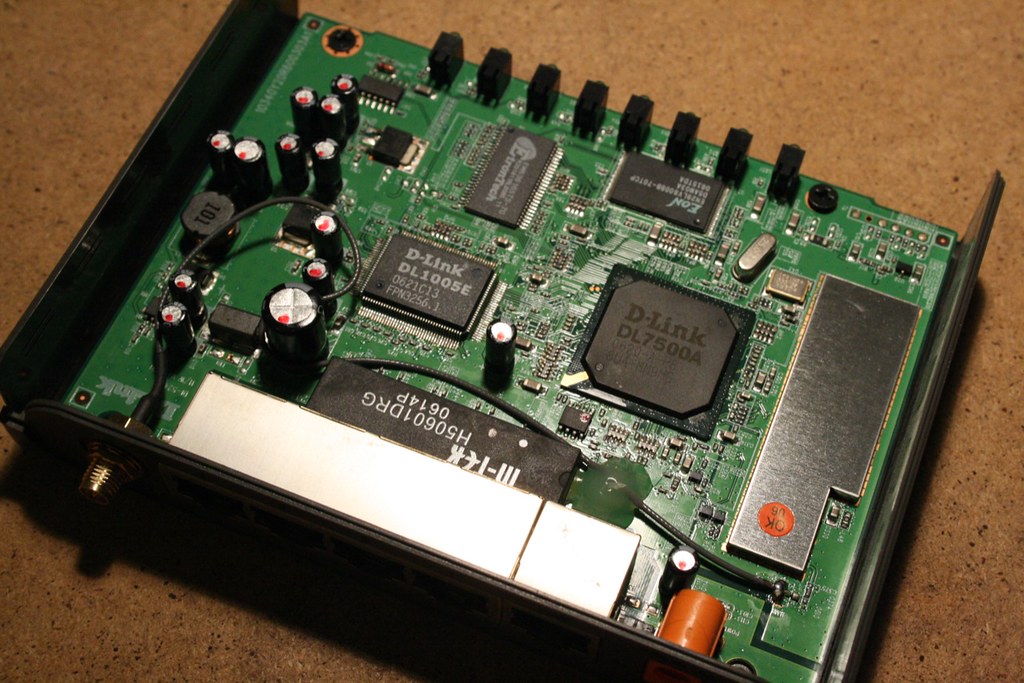
Photo credit: “D-Link DI-524 undressed” by schoschie, licensed BY (https://creativecommons.org/licenses/by/2.0/). Source: https://www.flickr.com/photos/87569910@N00/1448798334

