
In our view, a Black Friday smart home purchase is easier to judge if you ask seven questions before the product page does the talking. They cover what happens if the maker’s cloud goes away, whether control stays local, which hub or radio the device needs, how long security updates last, what sits behind an account, what your return rights are, and whether your network will cope. We tested nothing. This is a reading of seven public pages, and we name no prices, no deals and no products to buy. We say “the sales period” because none of our sources gives a date for it.

If you want the wider picture first, start with our guide to no-subscription smart home devices. Where a page is silent, we say “we could not confirm.” Where a point is our own reasoning, we mark it “in our view.”
Table of Contents
Black Friday smart home: 7 questions to ask before you buy
1. Does it still work if the maker’s cloud goes away?
Home Assistant’s 2016 post on classifying devices lists a drawback of devices that rely on their maker’s cloud: “It doesn’t work if the internet is down or the company stops support.”
Belkin’s Wemo page (last updated January 2026) is one worked example. The notice said that from 31 January 2026 the Wemo app and cloud features, including remote access and voice assistant integrations, would stop working for affected products. That date has passed, and we could not confirm from our sources what has happened since. The notice said devices already set up with Apple HomeKit before that date would continue through the Apple Home app, and Thread-based Wemo devices through HomeKit (its FAQ says “may continue”). New HomeKit setup would not be possible after the date. On refunds, the notice said a product still under warranty on or after 31 January 2026 may be eligible, with proof of purchase. We could not confirm whether refunds are still open. We use this as one example and do not generalise it to any other brand. Our Wemo shutdown guide goes deeper.
What to look for, in our view: a plain statement of what works with no internet and no maker app. The honest limit: in our view, no product page can promise how long a cloud service will run, and we could not confirm any way to test this before buying.
2. Is it listed as Local or Cloud?
The 2016 post defines five classes; the integrations page filter now also shows Calculated and Configurable. We use the four Local/Cloud classes. Cloud Polling and Cloud Push both go “via the cloud” and need an active internet connection. Local Polling and Local Push offer direct communication with the device. The “Push” versions notify Home Assistant as soon as a new state is available.
The integrations list has a Connection filter (Local or Cloud) and an IoT Class filter. In our view, using the Connection and IoT Class filters on that list before buying is a quick check.
The limits: the classification post dates from 2016, the list describes Home Assistant integrations rather than every product, and we could not confirm that a listing covers your exact model. No listing is not proof of anything either way.
3. Which radio and hub does it need?
In our view, the product page should say how the device talks: Wi-Fi, Thread, Zigbee or something else. The Matter page says to check the packaging for the Matter logo and for either the Wi-Fi or the Thread logo. For Thread devices it says you need a Thread network with at least one Thread border router nearby. Our Thread border router explainer covers that, and our Matter advice check covers the wider ecosystem. If the listing says Zigbee, our Home Assistant Zigbee setup guide shows what that route involves.
Two scope points from the Matter page. Bridges bring some non-Matter devices in, but it says there is no guarantee all devices from an ecosystem can be used in Home Assistant. And it describes sharing one Matter device between controllers, such as Home Assistant and another platform. The page covers Home Assistant only; we could not confirm how other controllers behave.
4. How long will it get security updates?
The UK’s consumer connectable product security regime took effect on 29 April 2024. The GOV.UK guidance says it applies to products supplied to UK consumers, with listed exclusions (for example some Northern Ireland supply, medical devices, smart meter products). Its security requirements are: no universal default or easily guessable passwords, published information on how to report security issues, and published information on minimum security update periods.
The EU Cyber Resilience Act entered into force on 10 December 2024. The Commission page says reporting obligations (for manufacturers, per the page) apply from 11 September 2026 and main obligations from 11 December 2027, and that products will bear the CE marking to show compliance. We could not confirm which products, or from what date a given device, would be covered.
In our view, look for a stated update period on the product page or its documents. The limits: neither page gives a number of years that we can quote, and the Matter page says OTA software updates are optional for Matter devices; it does not mention security update periods.
5. What features sit behind an account or plan?
This one rests on advice, not a source. We could not confirm any general rule about which features are free and which need an account or plan. In our view, read the plan page for the exact model on the day you buy, and note anything described as an extra: remote access, history, notifications or voice control. Ask whether each feature still works if you never create an account. The limit: in our view, plan terms can change after you buy, and we checked no plan page for any Black Friday smart home product.
6. What are your return and refund rights?
Rights may differ by country; our only source here is New Zealand. We are not lawyers, and this is not legal advice. If you buy from a business in New Zealand, the Consumer Guarantees Act says products must be of acceptable quality, fit for purpose and match their description, and that online listings count towards the description. It says you may be entitled to a repair, replacement or refund. It does not apply when you change your mind, and the page says it can apply to some overseas businesses targeting NZ consumers.
In our view, test the device soon after delivery of a Black Friday smart home order: set it up, check the features you bought it for, and keep the proof of purchase. Return windows vary; check the seller’s page and your own country’s rules. We could not confirm any general rule on whether purchases in the sales period get different return terms.
7. Will your network handle it?
The Matter page says Matter relies on local IPv6 and mDNS multicast traffic travelling freely, and that IPv6 must be enabled on Home Assistant, though an IPv6 internet connection is not required. It says Matter is designed for regular residential networks and may not work well with VLANs, multicast filtering or faulty IGMP snooping. Its remedy is to keep Wi-Fi Matter devices, including Thread border routers, on the same VLAN as Home Assistant, and to keep the topology simple and flat.
In our view, this matters most if you already split your network. Our IoT VLAN or guest network guide covers the trade-off. The limit: the page speaks about Matter with Home Assistant, and we could not confirm how this applies to other setups.
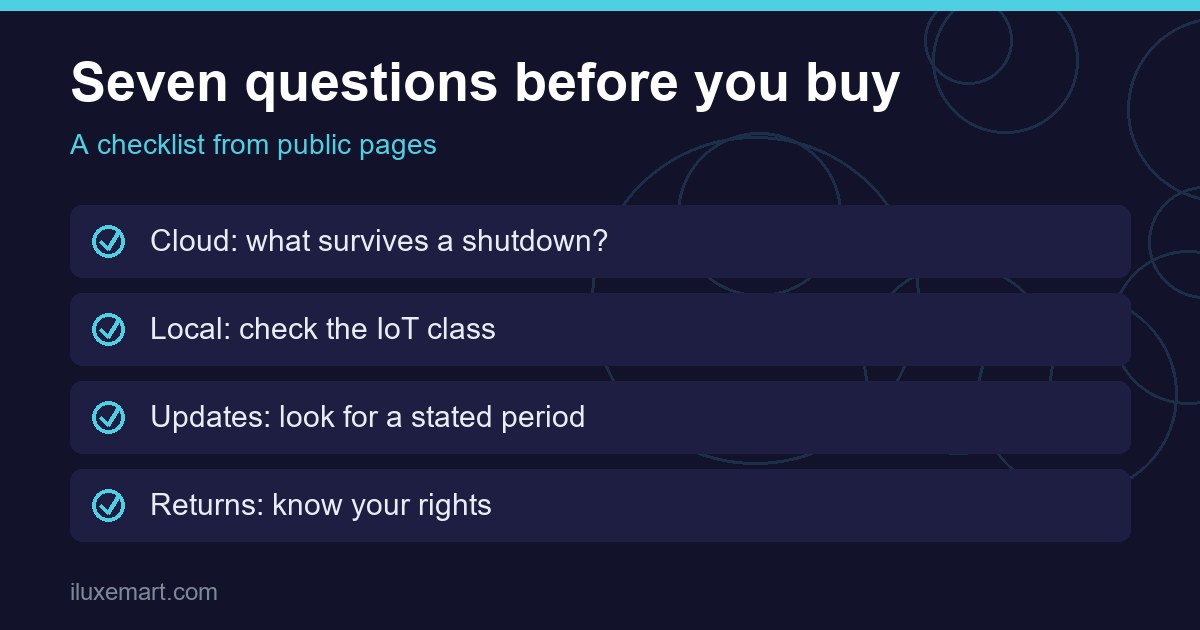
Your Black Friday smart home checklist
Print this and tick it for each product.
- Cloud: does the page say what works with no internet or maker app?
- Class: is the integration listed as Local or Cloud?
- Radio: which radio, and which hub or border router?
- Updates: is a minimum security update period published?
- Account: which features need an account or plan, for this exact model?
- Returns: what are the seller’s terms and your local rights?
- Network: is your network flat enough, with IPv6 on?
Honest limits of this Black Friday smart home checklist
- We tested nothing. This is a documentation roundup.
- Each source covers its own scope: one Wemo notice, one UK regime, one EU act, one NZ law, and Home Assistant’s own pages. None speaks for all brands or countries.
- Pages change. Re-read them on the day you buy.
- We give no prices and no product picks.
- Statements marked “in our view” are our reasoning, not the pages’.
Your next step
In our view, for any Black Friday smart home product you are considering, answer questions 1, 2 and 4 from its own pages first. Then work through the rest of the checklist above. More privacy-first guides are in our no-subscription smart home guides.
How we checked
We read each page below on 18 November 2026. This is a documentation roundup for a Black Friday smart home purchase; we did not buy, set up or test anything. Claims marked “in our view” are our own reasoning.
Sources read 18 November 2026: Belkin, Wemo Support Ending, Home Assistant, Classifying the Internet of Things, Home Assistant, Integrations, Home Assistant, Matter, GOV.UK, consumer connectable product security, European Commission, Cyber Resilience Act, NZ Consumer Protection, Consumer Guarantees Act.
More in this series: No-subscription and private smart home guides.