Smart lights without cloud account sign-ups are possible in Home Assistant, but the route you pick decides how much you depend on a vendor. This guide covers four routes we found documented: Zigbee with a coordinator, Matter, a vendor bridge, and Wi-Fi lights with a local integration. It also covers one catch from TP-Link. It is based on pages we read on 15 November 2026. We did not test any bulb. Where the pages are silent, we say “we could not confirm.”
Table of Contents
What “local control” means here
Each Home Assistant integration page states an “IoT class.” The pages we read use two labels for local routes: Local Push and Local Polling. In our reading, these are Home Assistant’s own labels for how the integration talks to the device. They are not a guarantee about the product’s phone app, voice features or firmware updates.
That distinction matters for smart lights without cloud account requirements. An integration can talk to a bulb locally while the manufacturer’s app still uses the vendor’s servers. The pages below tell us about the Home Assistant side only.
Four routes to smart lights without cloud account logins
Each route below comes with the IoT class its page gives. The Light integration page says light is a building block: other integrations provide the light entities.
Route 1: Zigbee bulbs with ZHA and a coordinator
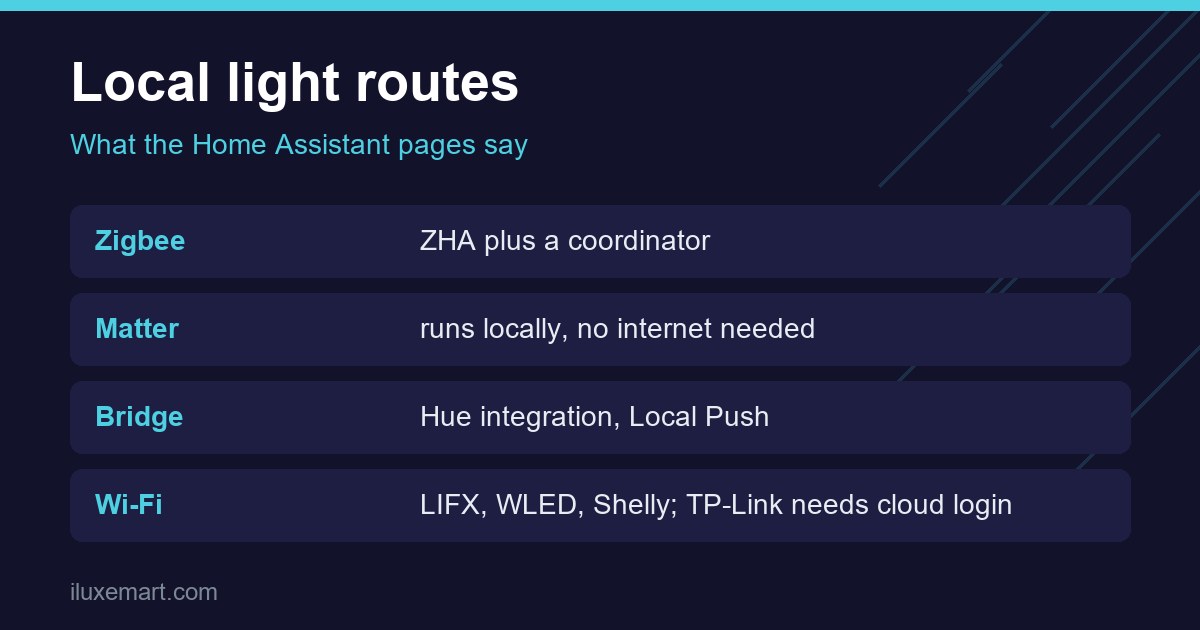
The ZHA page says the Zigbee Home Automation integration lets you wirelessly connect many off-the-shelf Zigbee devices “directly to Home Assistant,” using compatible hardware adapters called Zigbee coordinators. Its IoT class is Local Polling.
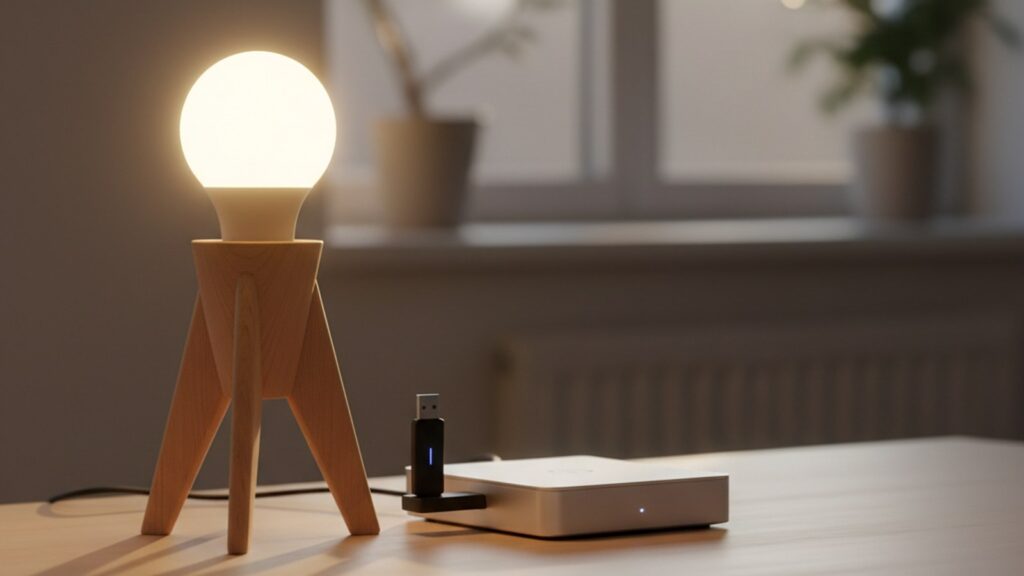
For zigbee bulbs home assistant users who want smart lights without cloud account pairing, the practical point is the coordinator: it is a piece of hardware you add, and the bulbs pair to it instead of to a vendor hub. We cover choosing one in our Zigbee dongle buying guide, and the two main software options in ZHA vs Zigbee2MQTT.
One catch from the ZHA troubleshooting section: Hue bulbs that were previously paired to another bridge or gateway will not join ZHA, and “must be restored to their factory default settings.”
Route 2: Matter
The Matter page says Matter products “run locally and always allow local control, with device control done without the need for any internet connection or cloud services.” It adds that you can use a Matter-compatible device with Home Assistant without connecting to a vendor-specific cloud.
Then comes a caveat worth quoting: “some vendors may require you to set up an account before you can enable Matter support for some products,” especially the maker’s own gateways, bridges and hubs sold as appliances. So for smart lights without cloud account steps, Matter lights themselves are described as local, but the extra hardware around them may not be.
Matter runs over Wi-Fi, Ethernet or Thread, per the page. If you are weighing Thread hardware, see our Thread border router guide, and for the wider picture our Matter ecosystem advice.
Route 3: A vendor bridge, exposed locally
Some lights need the vendor’s own bridge. The Philips Hue integration page says it lets you control and monitor lights and sensors connected to your Hue bridge. It also supports remotes and switches as device triggers for automations. The page gives its IoT class as Local Push, and says V2 bridges (square) push state changes “over their local event stream.”
The Hue developer get-started page shows the bridge exposing an API at its own IP address on your network. Its authorization step asks you to press the link button, which it describes as proof that “the user has physical access to the bridge.” Near the end, the words “developer account required” appear next to a link to the Core Concepts page. In our view that applies to that further reading, not to the local steps, but we could not confirm it.
Two more points from the Home Assistant pages:
- Hue scenes are created in the Hue app and imported into Home Assistant; editing them in Home Assistant is not supported.
- The Hue Bridge also supports Matter, but the Matter page says that route offers only basic light controls, while the native integration “also runs locally.”
This section covers only what the Home Assistant and Hue developer pages say about the local bridge. We read nothing about the Hue phone app, so we say nothing about it.
Route 4: Wi-Fi lights with a local integration
Three integrations state local operation in their own words.
- LIFX: the LIFX page says the integration controls lights “over your local network, without going through the LIFX cloud,” and that lights keep responding when your internet connection is down. IoT class: Local Polling.
- WLED: the WLED page describes WLED as an ESP8266/ESP32 web server for controlling LED strips. It requires WLED 0.14.0 or newer, and its IoT class is Local Push. We read no mention of an account.
- Shelly: the Shelly page says the integration is “communicating directly with the device; cloud connection is not needed.” IoT class: Local Push. That note sits in the section on generation 2+ devices, right after the outbound-WebSocket steps for battery-operated devices, so we could not confirm it for every Shelly product or for first-generation devices.
The TP-Link gotcha
This one trips people who assume “local” means “no login.” The TP-Link page says: “If your device is a newer Kasa or Tapo device it will require your TP-Link cloud username and password to authenticate for local access.”
The same page says the integration connects locally without going through the TP-Link cloud, unlike the native apps, which use the cloud if the device has internet access. So data flows locally, but you still need a cloud account to authenticate newer devices. Older devices that do not require authentication may keep working that way; the page suggests disabling automatic firmware updates for them. For true smart lights without cloud account dependence, check this before choosing TP-Link.
Check before you buy
Here is a short checklist built only from what the pages support.
- Find the integration page. Look for your light on Home Assistant’s integration list and read its IoT class and prerequisites.
- Look for the word “authenticate.” The TP-Link page shows that “local” can still need cloud credentials.
- Check the hardware around the light. A coordinator, a bridge or a Matter hub is extra equipment, and the Matter page warns vendors may require an account for their own hubs.
- Check requirements and trade-offs. WLED needs version 0.14.0 or newer, and Hue over Matter gives fewer controls.
- Plan for resets. ZHA says Philips Hue bulbs paired to another bridge or gateway must be factory reset first.
Honest limits
- We tested no hardware; everything here comes from documentation.
- Apps, voice assistants and firmware updates may still use the vendor’s cloud. We could not confirm this for any specific bulb.
- Home Assistant pages can change. Re-read yours before you buy, especially if smart lights without cloud account use is your goal.
In our view, the lowest-dependence routes in these pages are the ones where Home Assistant talks to the light or a coordinator directly: Zigbee with ZHA, a Matter device on your network, or LIFX, WLED and Shelly. A vendor bridge is local too, but it adds a box. TP-Link newer devices need a cloud login.
Smart lights without cloud account: your next step
To get smart lights without cloud account dependence, pick the route first, then the bulbs. If you want the widest choice of bulbs, start with a coordinator and our dongle buying guide. If you already own a bridge, read its integration page. More privacy-first guides are in our no-subscription smart home guides.
How we checked
We read each page below on 15 November 2026. This is a documentation roundup; we did not test any light, bridge or coordinator. Claims marked “in our view” are our own reasoning.
Sources read 15 November 2026: Home Assistant, Light, Home Assistant, ZHA, Home Assistant, Matter, Home Assistant, Philips Hue, Hue developer get started, Home Assistant, LIFX, Home Assistant, WLED, Home Assistant, Shelly, Home Assistant, TP-Link.
More in this series: No-subscription and private smart home guides.