Most setups will be fine on Home Assistant 2026.11, but it is not a click-and-forget update. The Home Assistant 2026.11 release makes HACS a built-in Marketplace, lets you use a USB or internal drive for backups and media, adds Matter 1.5 camera support, and changes how entities are named. It also lists a long set of backward-incompatible changes, one per integration. Make a backup, read the entries for the integrations you actually use, then update.
The facts below come from the official Home Assistant 2026.11 release post. Where I could not confirm something, I say so.
Table of Contents
What is new in Home Assistant 2026.11
HACS becomes the built-in Marketplace
In Home Assistant 2026.11, HACS is built in as the Marketplace, found under Settings > Marketplace, on every installation type. Existing HACS installs migrate automatically, and installing HACS separately is no longer possible on this version. Installing an integration from it no longer needs a restart, though updating one still does.
Two details worth knowing. The projects in the Marketplace are community-made and not tested or supported by the Home Assistant project, and you must accept a risk notice before installing or updating. Adding custom repositories needs a GitHub device sign-in, which the release says only reads public information.
Backups and media can live on a local or USB drive
You can add an internal or USB drive under Settings > System > Storage and use it for backups, media or shared files. The disk must already be formatted; the release post does not describe formatting it for you. Other backup improvements: restores no longer make a temporary full copy of the backup first, upload progress shows for more backup destinations, and a new sensor reports the size of your last automatic backup.
If you are deciding where backups should live long term, a drive plugged into the same machine is better than nothing but is not an off-site copy. Our step-by-step guide to a Home Assistant backup on a USB drive shows the setup, and our home NAS backup guide covers the next step up.
Matter 1.5 cameras
Matter 1.5 cameras now show up as camera entities with live WebRTC video and snapshots, and their privacy-mode state is mirrored. Discovery needs a sufficiently recent Matter server. A Labs feature called Two-way audio adds a talk button for Matter cameras and for Reolink cameras (Reolink must use RTSP), and it needs HTTPS for microphone access. Because it is a Labs feature, treat it as a preview. For the wider picture on Matter, see why “pick one ecosystem” advice is outdated.
Zigbee Green Power and LoRaWAN
ZHA now supports batteryless Green Power devices, with Hue switches given as an example. They show a Source ID, options that do not apply to them are hidden, and they appear without a parent line in the network view. If you are still choosing a Zigbee radio, our Sonoff Zigbee dongle buying guide is the place to start.
LoRaWAN is new too. It supports ChirpStack and The Things Network as network servers, with SenseCAP as a supported device integration, and adds a LoRaWAN page under Settings > Connectivity with devices, a searchable table and a network map. I did not test any of this, so I cannot say how smooth setup is.
Entity names change, entity IDs do not
Entities are now named from their device and area context, so a “Temperature” on a “Thermostat” becomes “Thermostat Temperature.” Entity IDs stay the same, and the old names remain as voice-assistant aliases. The release classes this as a backward-incompatible change because some dashboard names will look different after updating. It also says the friendly_name attribute is planned for deprecation in favour of template functions such as entity_name().
Breaking changes worth checking first
The release lists each backward-incompatible change in its own collapsible block, with a link to that integration’s documentation, so you only need to open the ones you use. The breaking-changes section gives no backup advice, so that part is on you. Here are the entries most likely to catch people out, summarised from that section:
- Ring: the ding and motion binary sensors, last-ding and last-motion sensors, volume sensors and the siren switch are removed. Use the event, number and siren entities instead.
- Tuya: multi-channel devices get child “Channel” devices and entity names change. Update templates, cards and notifications that use
friendly_nameor old names. - Nanoleaf: touch gesture device triggers are removed. Use the Touch gesture event entity with an
event.receivedtrigger. - Matter: concentration sensors now use the device’s own unit, which can change values, and TVOC sensors in µg/m³ or mg/m³ switch device class. Matter climate entities now resume their last supported non-off mode when turned on from Home Assistant, including through dashboard controls and voice commands, and calling
climate.turn_onon an entity that is already running now leaves its mode unchanged. If an automation relied on the old behaviour, useclimate.set_hvac_modeto set a mode explicitly. Tilt-only covers use tilt actions. Check automations and statistics. - Philips Hue: the
"None"light effect is removed. Change automations to use"off". - Zigbee (ZHA): group entities move to their own group devices. Target the group entities, not the coordinator, and set areas for the new group devices if needed.
- Z-Wave: requires zwave-js-server 3.11.0 or newer (Z-Wave JS app 1.9.0+, or Z-Wave JS UI v11.24.2+). Endpoints move to child devices and names change. Update zwave-js-server to 3.11.0 or newer as part of the update.
- UniFi Protect: the HDR mode switch and read-only UP Sense setting entities are removed. The release says repairs will list affected automations.
- Telegram: the legacy
notifyplatform is removed. Use Telegram bot notify entities and remove the YAML entry. - Xiaomi Home: light, switch and fan actions now require an explicit target (an
entity_id, orentity_id: all). - Auth: non-local addresses must match scheme, host and port or login fails with “Invalid client id.” If you use a reverse proxy, add it to trusted proxies or use a domain name.
- Frontend: needs Chrome 67, Safari 15.4 or Firefox 98 and newer. Older browsers get a message on launch.
- Uptime Kuma: versions below 2.0.0 are no longer supported. Update Uptime Kuma before Home Assistant.
- Python dependencies: for Core installs outside a virtual environment, packages no longer install into the
depsfolder. Other install types are unaffected.
The list also covers many others, including Calendar and Sun trigger offsets, Honeywell Evohome, MQTT, SMTP, DoorBird, Xiaomi BLE and several integrations whose custom polling interval is now ignored. I have not listed every entry here, so check the original for your own setup.
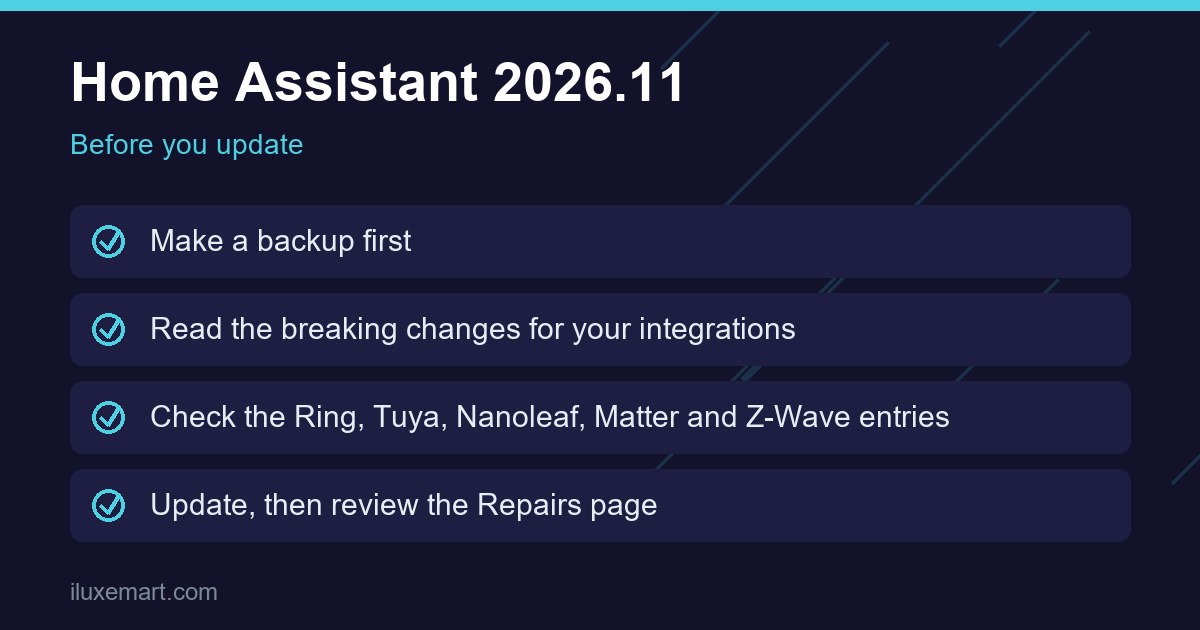
Home Assistant update checklist
- Back up first. Create a full backup and make sure a copy is somewhere other than the machine running Home Assistant. If you want to use the new local-drive option, format the disk beforehand.
- List your integrations. Settings > Devices & services shows what you have. Open only those entries in the breaking-changes section.
- Update dependencies in the right order. Update Uptime Kuma to 2.0.0 or newer first, as the release instructs, and make sure zwave-js-server is 3.11.0 or newer if you use Z-Wave. Upgrade AdGuard Home to 0.107.30 or newer if you use its query log switch.
- Search your YAML and automations for removed entities and actions (Ring sensors, Nanoleaf gestures, Hue
"None", Telegramnotify, Xiaomi Home targets) and forfriendly_namein templates. - Check your dashboards. Expect different entity names, with the device name as a prefix, and update custom cards that depend on old names.
- If you use HACS today, note that the standalone installer stops at this version and your install migrates to the Marketplace automatically.
- Update, then watch the Repairs page. The release says some integrations raise repairs for leftover configuration, so look there before assuming something is broken.
- Keep your backup for a few days in case you need to roll back (my own practical advice, not from the release post).
Should you update to Home Assistant 2026.11 now?
If you run a handful of mainstream integrations and have a good backup, the breaking-changes list may not affect you. If your setup leans on Ring, Tuya, Z-Wave, ZHA groups or heavy YAML automations, give yourself time to read those entries and test. The release post does not give a recommended waiting period, and I could not verify any known problems since release day, so check the Home Assistant community forum and the project’s issue tracker for current reports before you start.
If you are new to Home Assistant, our look at the August release and what made it more beginner-friendly is a good companion read.
Source: Home Assistant — 2026.11 release post
More in this series: No-subscription and private smart home guides.