
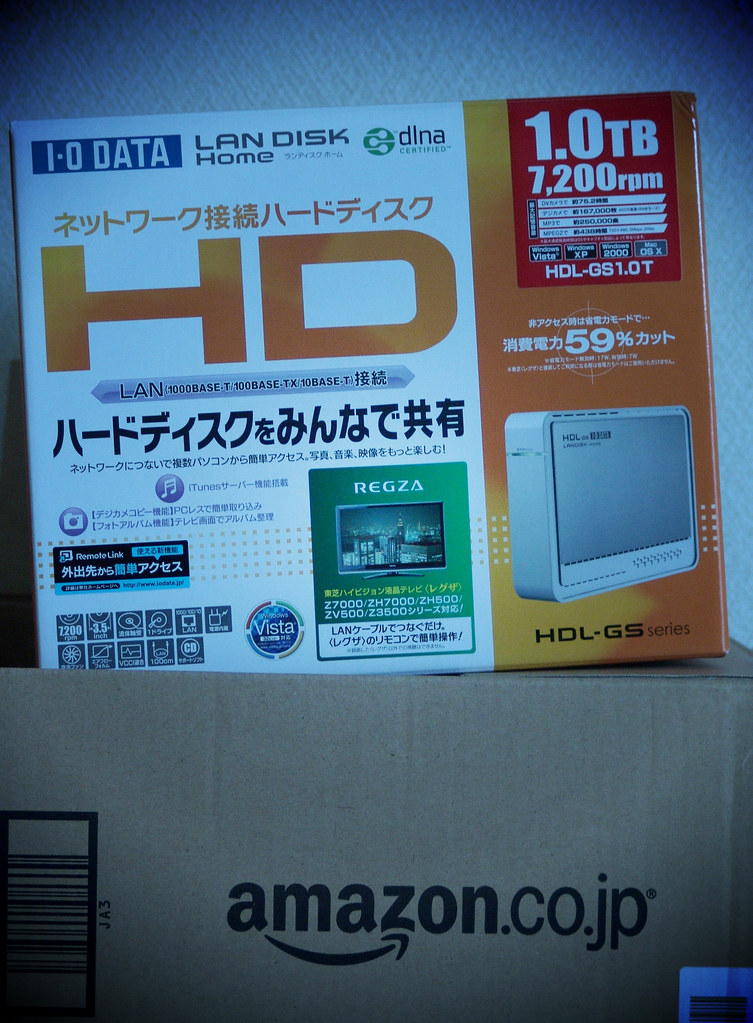
Home NAS: Key Takeaways
- A home NAS stores files locally with a one-time hardware cost instead of ongoing cloud subscriptions.
- RAID on a home NAS protects against single drive failure but does not replace off-site backup.
- The 3-2-1 backup rule requires pairing a home NAS with cloud or remote storage for resilience.
- Cloud storage remains simpler for modest needs while a home NAS favors large, growing libraries.
Every major cloud storage provider runs on a subscription that never ends and rarely gets cheaper as the amount of data grows. A network-attached storage device, a NAS, is the opposite: a real, one-time hardware purchase that lives on a home network and stores files, photos, and backups without an ongoing bill. It isn’t the right fit for everyone, but for the specific problem it solves, it solves it well.
Table of Contents
What a NAS Actually Is
A NAS is a small dedicated computer, usually with two to four hard drive bays, that sits on a home network and shares storage over Wi-Fi or Ethernet to every device connected to it. Unlike a USB external hard drive, a NAS isn’t tethered to one computer; phones, laptops, smart TVs, and other devices on the same network can all read from and write to it directly.
Most run their own lightweight operating system with apps for photo backup, file syncing, and media streaming, functioning as a personal, smaller-scale version of what a cloud service provides.
RAID Explained Without the Jargon
The reason a NAS usually ships with multiple drive bays rather than one is RAID, a way of storing the same data across multiple physical drives so a single drive failure doesn’t mean data loss. In a common two-drive RAID 1 setup, both drives hold an identical copy of everything; if one drive dies, the NAS keeps running on the other, and the failed drive can be swapped out without losing anything.
This is not a substitute for backup elsewhere, since RAID protects against drive failure specifically, not theft, fire, flooding, or accidental deletion, all of which destroy every drive in the same box at once.
The Real 3-2-1 Backup Rule
Storage professionals commonly reference a 3-2-1 rule: three copies of important data, on two different types of storage media, with one copy stored off-site. A NAS with RAID is a strong candidate for one of those local copies, but treating it as the only copy defeats the purpose of the rule. A genuinely resilient setup pairs a home NAS with either a cloud backup service for the off-site copy, or a second NAS or drive kept at a different physical location.
Where the Cost Actually Breaks Even
A NAS enclosure alone typically costs more upfront than a year or two of cloud storage subscription at moderate capacity. The economics shift in the NAS’s favor specifically as storage needs grow large, since cloud subscription cost usually scales close to linearly with capacity while a NAS’s cost is mostly the fixed enclosure price plus drives bought once.
For someone storing a modest amount of documents and photos, cloud storage alone is often genuinely simpler and cheaper. For a household storing large photo and video libraries, running local backups for multiple computers, or wanting media streamed to a TV without re-uploading it anywhere, the math tends to favor owning the hardware within a few years.
What a NAS Doesn’t Replace
A NAS on a home network is not automatically accessible outside the house the way a cloud drive is, unless it’s specifically configured for secure remote access, a setup step worth understanding before buying, since done poorly it’s a real security exposure. It also requires actual maintenance: firmware updates, monitoring drive health, and physically maintaining the device, none of which a cloud subscription requires from the user at all.
The convenience cloud storage sells is real; a NAS trades some of that convenience for lower long-term cost and full control over where the data physically lives.
A Practical Approach to Buying One
- Buy at least a two-bay model for any real use, since a single-drive NAS provides no protection against drive failure at all, defeating much of the point.
- Buy drives rated for NAS use specifically, not standard desktop drives, since NAS-rated drives are built for continuous 24/7 operation and handle the workload differently.
- Set up an off-site or cloud backup of the NAS’s most important folders regardless of RAID, since RAID alone doesn’t satisfy the 3-2-1 rule.
- Skip it if the actual need is casual document syncing for one or two people, since a cloud plan at that scale is simpler and likely cheaper for years.
The Honest Trade-Off
A NAS is a genuinely good long-term value for a household with real storage volume and the willingness to maintain a small piece of hardware. It is not a drop-in replacement for cloud storage’s simplicity, and it doesn’t eliminate the need for an actual backup strategy on its own. The households that benefit most are the ones already feeling a cloud subscription’s cost climb year over year with no end point in sight.
Bottom Line
A home NAS offers long-term savings for large storage needs but requires maintenance and an off-site backup plan. Evaluate your household’s data volume and willingness to manage hardware before purchasing a two-bay model with NAS-rated drives.
Related Reading
- That Ultra-Compact External SSD Can Lose Half Its Speed 30 Seconds Into a Large File Transfer. Here’s Why.
- Why You Can’t Buy a Small USB Flash Drive Anymore
- A Ring Doorbell Can Cost $920 Over Three Years. Here Are Five That Cost $35 to $180, Total.
Sources: Texas State Library: the 3-2-1 backup rule, MIT Missing Semester: backups.
Photo credit: “Network Attached Storage.” by MIKI Yoshihito. (#mikiyoshihito), licensed BY (https://creativecommons.org/licenses/by/2.0/). Source: https://www.flickr.com/photos/7940758@N07/3710212278

