
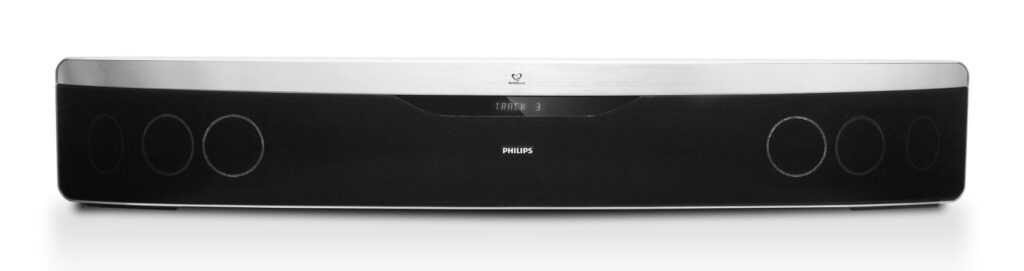
The Dolby Atmos label on a soundbar box carries real marketing weight, immersive, movie-theater-style overhead sound, and manufacturers have leaned into that reputation aggressively enough that the label alone no longer reliably indicates what’s actually inside the unit. A meaningful share of budget soundbars carry Dolby Atmos certification while containing zero physical upward-firing speakers, relying entirely on software processing to simulate an effect real hardware would otherwise produce.
Table of Contents
Real Atmos vs. Virtual Atmos: What’s Different
Genuine Atmos hardware includes upward-firing drivers, physical speakers angled to bounce sound off the ceiling and back down to the listener, creating an actual overhead audio cue rather than a simulated one. Virtual Atmos, sometimes just as prominently labeled, uses digital signal processing and psychoacoustic algorithms to trick the ear into perceiving height and surround cues without any physical speaker actually pointed upward or placed behind the listener.
Audio manufacturers have been direct enough about this substitution that experts describe it plainly: putting the Dolby Atmos certification on a budget soundbar that completely lacks height channels, relying entirely on virtual processing instead, is a legitimate but genuinely misleading way to borrow the name’s reputation without providing the hardware that built it.
Why Even Genuine Atmos Hardware Has Physical Limits
It’s worth being honest that even a soundbar with genuine upward-firing drivers faces a real physical constraint virtual processing can’t fully solve either: even a premium soundbar’s individual drivers are typically only 2 to 3 inches, simply too small to move enough air to deliver the weight and impact object-based audio is designed to produce. Because every speaker element is packed into a single bar a few feet wide, the physical separation Atmos’s spatial audio metadata relies on to convincingly place sound behind or above a listener is inherently limited by the format itself, delivering what’s more accurately described as a wide wall of sound rather than the full spherical audio experience a proper multi-speaker home theater setup can achieve.
That’s not a reason to avoid soundbars, but it’s worth calibrating expectations honestly regardless of whether the specific unit uses real or virtual Atmos processing.
HDMI eARC vs. Optical: A Concrete Difference
Beyond the Atmos hardware question, how a soundbar physically connects to a TV determines whether Atmos content can even reach it properly in the first place. HDMI eARC, part of the HDMI 2.1 specification, carries full-bandwidth, uncompressed Dolby Atmos from Blu-ray discs and streaming sources alike. Standard ARC (without the “e”) only passes compressed Atmos, and only from streaming sources specifically. Optical cable connections are the most limited of the three: they’re capped at stereo or basic Dolby Digital and cannot carry Atmos at all, regardless of what’s actually processed on either end of the connection.
HDMI eARC also enables controlling the soundbar’s volume directly through a TV remote, a genuine convenience benefit beyond the audio quality difference. Any TV manufactured after 2019 should include an eARC-capable HDMI port, making this a straightforward, checkable requirement before assuming a specific TV-and-soundbar combination will actually deliver full Atmos audio.
Matching Channel Configuration to Room Size
Soundbar channel configurations, written as numbers like 3.1.2 or 5.1.2, indicate the actual speaker layout: the first number is standard forward-facing channels, the middle number is subwoofer count, and the final number is height (Atmos) channels. A 3.1.2 configuration suits smaller rooms and tighter budgets adequately. A 5.1.2 setup is a solid match for most family living rooms. Anyone taking home theater more seriously should look toward 7.1.4 or higher configurations, delivering meaningfully more precise spatial positioning across a larger room.
Beyond channel count, Atmos’s upward-firing drivers specifically need a flat ceiling roughly 8 to 10 feet high to bounce sound effectively; unusually high, sloped, or open-plan ceilings can meaningfully undercut a real Atmos setup’s performance regardless of how good the hardware itself is.
Wattage as a Rough Sizing Guide
For overall power output, 90 to 200 watts is a reasonable range for a smaller room, while a larger living room benefits from 300 watts or more to fill the space adequately without the soundbar straining at higher volumes. This is a rougher guideline than the channel configuration and Atmos hardware questions above, but it’s worth checking alongside room size specifically for anyone prioritizing volume and impact over pure spatial precision.
The Modular Upgrade Path Worth Knowing About
A genuinely useful option worth checking before buying a fully-loaded system upfront: most major manufacturers now design their soundbar lineups to support adding a wireless subwoofer or wireless rear surround speaker kit later, rather than requiring the full setup purchased all at once. Samsung’s, LG’s, and Sony’s current soundbar lines all explicitly support this modular approach, letting a buyer start with a base soundbar unit and expand into a fuller surround setup once budget allows or once the initial unit’s limitations become clear in actual use.
That’s a real, practical way to manage cost upfront: a base soundbar handles the immediate improvement over a TV’s built-in speakers, while the eventual addition of a dedicated subwoofer or rear speakers closes the gap toward a genuinely fuller home theater experience without needing to commit to the complete system on day one. Checking a specific soundbar model’s compatible add-on ecosystem before purchase is worth doing directly if this kind of staged upgrade path is appealing, since not every budget model supports the same expansion options its manufacturer’s higher-tier lineup does.
A Practical Buying Checklist
A few concrete steps worth taking given the real ambiguity in this category:
- Check specifically for physical upward-firing driver specs, not just the Dolby Atmos logo, since a unit’s product page or spec sheet will generally disclose whether height channels are physical or virtual if looked at closely rather than taken from the box’s front-facing marketing alone.
- Confirm eARC support on both the TV and the soundbar before assuming any given HDMI connection will carry full, uncompressed Atmos audio, checking the TV’s manufacture year as a rough baseline if the exact port spec isn’t readily available.
- Match the channel configuration number to your actual room size rather than buying the highest number available regardless of the space it’ll be used in.
- Set realistic expectations for a single-bar Atmos unit’s spatial performance even with genuine upward-firing hardware, given the physical driver-size and speaker-separation limitations inherent to the soundbar form factor itself, rather than expecting a full discrete surround system’s precision from a single unit.
The Bottom Line
None of this means Dolby Atmos on a soundbar is a scam, real hardware genuinely improves the listening experience, and even virtual processing delivers a noticeable step up from a TV’s built-in speakers regardless of which approach a specific unit uses. The issue is purely one of informed comparison: two soundbars can carry the identical Dolby Atmos badge on the box while representing meaningfully different hardware and price points underneath, and only checking the actual driver configuration, connection type, and channel layout directly reveals which is which.
That five extra minutes of spec-sheet reading before buying is the difference between paying for genuine height-channel hardware and paying an Atmos-branded premium for a unit that delivers the effect entirely through software.
Sources: Aggregated 2026 soundbar buying guide reporting from What Hi-Fi and HowToGeek, cross-checked across multiple sources.
Related Reading
- Two USB-C Cables Can Look Identical and Differ by 250x in Speed. Here’s How to Actually Tell Them Apart.
- The Real Difference Between Kindle and Kobo Isn’t the Screen. It’s Whether You Can Borrow Library Books Without a Workaround.
- The Robot Vacuum Spec That Actually Matters Isn’t Suction Power. It’s Whether It Can See in the Dark.
Further reading: Soundbar (Wikipedia).
Photo credit: “Philips Soundbar with Ambisound HTS9140 front” by Philips Communications, licensed CC BY 2.0 (https://creativecommons.org/licenses/by/2.0/). Source: https://commons.wikimedia.org/w/index.php?curid=37045940

