Writing Tablet: Key Takeaways
- A writing tablet prioritizes paper-like feel and week-long battery over color, speed, and apps, making it a focused tool rather than a tablet alternative.
- Choosing between an open Android-based writing tablet like Boox and a closed system like reMarkable trades app flexibility for a more polished core experience.
- Writing latency and stylus friction vary meaningfully across writing tablet models, so testing in person or reading detailed hands-on reviews matters for daily satisfaction.
- Cloud sync implementations and potential subscription fees for advanced features differ by manufacturer, affecting total ownership cost beyond the initial purchase price.
An e-ink writing tablet is frequently compared to an iPad with an Apple Pencil, a comparison that misses the actual point of the category. These devices typically trade away color display (color models exist but cost more and run shorter on a charge), fast screen refresh, and broad app ecosystem access, the exact things a tablet like an iPad is built around, specifically to gain a genuinely paper-like writing feel, dramatically longer battery life, and freedom from the notification-driven distraction a full tablet or phone constantly presents.
Table of Contents
The E-Ink Display Is the Entire Point, Not a Limitation to Work Around
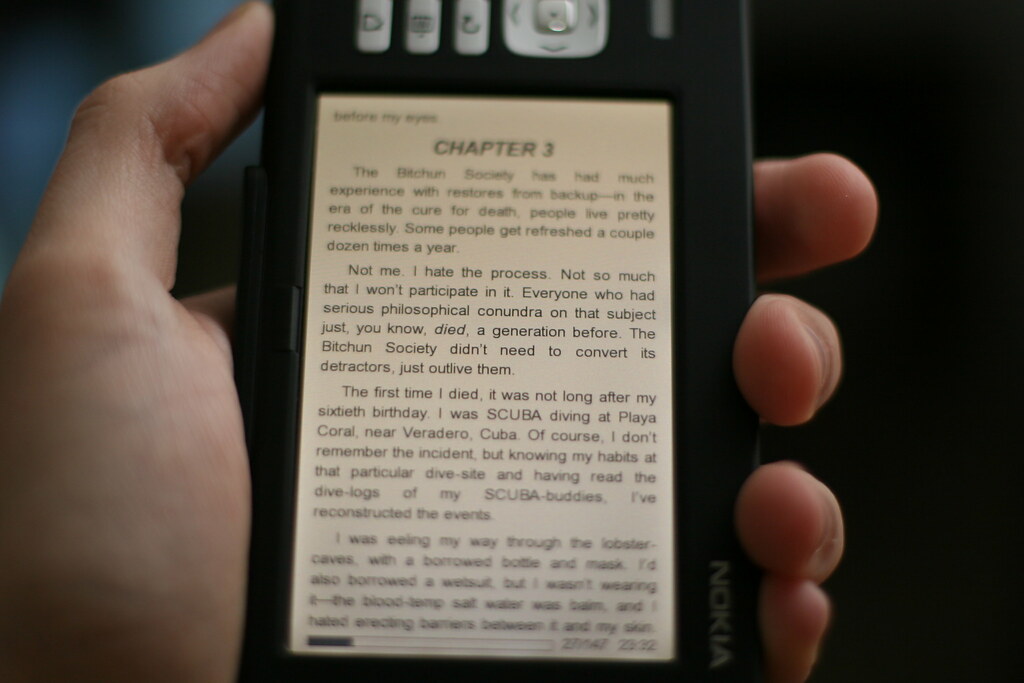
E-ink displays refresh much more slowly than an LCD or OLED screen and most models show only grayscale, both genuine limitations for video or fast-motion content, but these same properties are exactly why e-ink writing tablets achieve a paper-like reading and writing experience with minimal eye strain and, critically, battery life measured in days to weeks rather than hours between charges.
Approaching this category expecting iPad-like display performance leads to real disappointment; approaching it as a specifically different, paper-replacement-focused tool matches expectations to what the technology actually delivers.
Open Ecosystem (Boox) vs. Closed, Purpose-Built Ecosystem (reMarkable, Kindle Scribe)
Onyx’s Boox line runs a modified version of Android, meaning it can install many standard Android apps directly, offering genuinely more flexibility including some note-taking and productivity apps not originally designed for e-ink but adapted reasonably well. reMarkable and Amazon’s Kindle Scribe take a more closed, purpose-built approach, offering a smaller, more tightly integrated set of first-party features specifically optimized for e-ink’s strengths, generally resulting in a smoother, more polished core writing and reading experience at the cost of the broader app flexibility a Boox device offers.
Writing Latency and Stylus Feel Vary More Than Expected Between Models
The actual felt experience of writing, how much lag exists between the stylus tip touching the screen and the ink appearing, and how closely the friction feels to writing on real paper, varies meaningfully between specific models and is one of the harder specs to judge from marketing materials or specifications alone.
This is genuinely worth testing in person at a retail location where possible, or researching detailed hands-on reviews that specifically address writing latency and stylus feel, rather than assuming all e-ink writing tablets feel equivalent.
Handwriting Conversion to Text Quality Differs Significantly
Most devices in this category offer a feature to convert handwritten notes into searchable, editable typed text, but the actual accuracy of that conversion, particularly for less tidy handwriting or notes mixing text with diagrams and drawings, varies meaningfully between manufacturers’ specific handwriting recognition implementations. For anyone planning to rely heavily on this feature rather than primarily keeping notes in their original handwritten form, checking specific reviews addressing handwriting conversion accuracy for the exact model is worth the research time.
Cloud Sync, File Access, and Subscription Costs
Getting notes off the device and onto a computer or into a broader note-taking workflow requires some form of sync, and the specific implementation, and whether ongoing cloud sync or advanced features require a paid subscription beyond the device’s purchase price, varies by manufacturer and is worth checking explicitly before buying.
A device with an appealing hardware price that requires an ongoing subscription for genuinely useful sync or organization features changes the total cost of ownership meaningfully compared to a device with those features included at no extra recurring cost.
A Practical Buying Approach
- Approach the category as a distinct paper-replacement tool, not a cheaper alternative to a full color tablet, to set accurate expectations.
- Choose an open, Android-based device like Boox for broader app flexibility, and a closed, purpose-built device like reMarkable or Kindle Scribe for a more polished, focused writing and reading experience.
- Test or research writing latency and stylus feel specifically, since this varies meaningfully between models and matters most for daily writing satisfaction.
- Check whether meaningful features require an ongoing subscription beyond the initial device purchase before buying.
The Honest Trade-Off
An e-ink writing tablet succeeds specifically by being a more limited, more focused device than a full tablet, not despite that limitation, and evaluating it against iPad-like expectations misunderstands what the category is actually for. For someone specifically seeking a distraction-free, paper-like writing and reading tool with genuinely long battery life, the trade-offs are the entire value proposition, not a compromise to tolerate.
Bottom Line
Treat a writing tablet as a dedicated paper-replacement tool, not a cheaper iPad, and match your choice to whether you value open app access or a polished focused experience. Before buying, test writing latency in person or research detailed reviews for your preferred model.
Related Reading
- The Cheapest Tablet Isn’t the One With the Lowest Price. It’s the One That Still Gets Updates in Four Years.
- The Pebble Time 2 Costs $225 Once. Your Oura Ring Costs That Every Three Years Just to Keep Working.
- GoPro’s $50 Annual Subscription Includes a Free Camera Replacement. DJI Doesn’t Offer That at Any Price.
Sources: Engadget: the best e-ink tablets.
Photo credit: “I get excited about years old Nokia devices.” by chadmiller, licensed BY-SA (https://creativecommons.org/licenses/by-sa/2.0/). Source: https://www.flickr.com/photos/51035573981@N01/1164866276