The recent wave of viral home-organization label makers popular on social media runs mostly on direct thermal printing, a technology long used in desktop label printers but newly shrunk into cheap, app-connected handhelds, and that technology difference explains most of what people actually notice and appreciate about the newer devices, more so than any particular design or app feature.
Table of Contents
Thermal Printing Is the Real Technology Shift
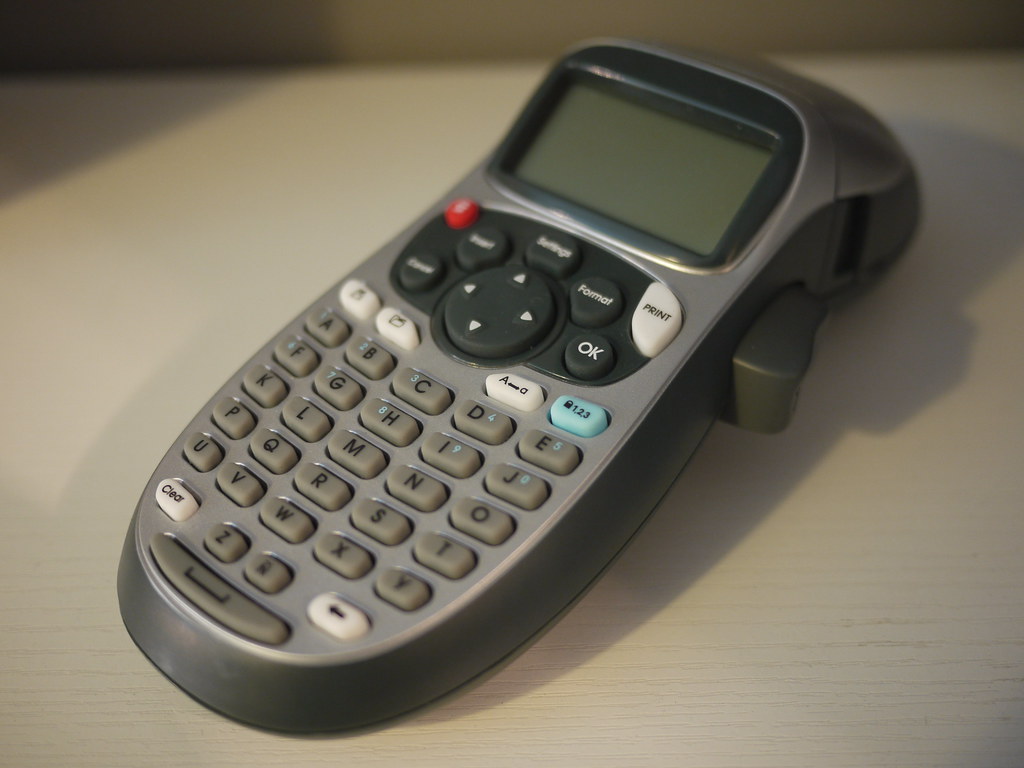
Older label makers use a ribbon-based thermal transfer mechanism, pressing an inked ribbon against label tape to print text, using a cassette that bundles the ribbon and tape, so both get used up together. Newer, viral label makers primarily use direct thermal printing, where heat-sensitive label material darkens directly where a heated print head touches it, requiring no ink or ribbon at all, just the heat-sensitive label roll itself.
This is the actual reason newer label makers are simpler to operate, quieter, and use fewer separate consumable parts.
The Real Trade-Off: Thermal Prints Fade With Heat and Light Exposure
Direct thermal printing’s core mechanism, heat-sensitive material darkening when heated, means thermal labels are also somewhat sensitive to heat and prolonged direct sunlight exposure after printing, which can cause a thermal label to fade or darken unpredictably over time in a way a ribbon-printed label, which uses a more stable ink transfer, generally does not.
This matters specifically for labels placed somewhere that will see direct sun or significant heat, like a label on an item stored near a window or on kitchen equipment near a stove, where a ribbon-based label maker may actually be the more durable practical choice despite being the older technology.
App-Connected Label Makers Add Real Design Flexibility
Many current thermal label makers connect to a smartphone app for label design, offering a much wider range of fonts, icons, borders, and layout options than the small built-in keypad and limited display of older standalone label makers, genuinely expanding what’s practically achievable without needing a computer and separate label design software. This app-based design flow is a real, meaningful usability improvement for anyone doing more elaborate labeling, like organizing a pantry or craft supplies with consistent, decorative labeling, beyond simple utilitarian text labels.
Label Tape and Roll Cost Adds Up and Varies By Brand
As with printers generally, a label maker’s ongoing consumable cost, replacement label tape or thermal label rolls, varies meaningfully between brands and is worth factoring into the total cost of regular use, not just the upfront device price. Some brands’ replacement label rolls cost notably more than comparable third-party or generic alternatives, and checking whether a specific label maker supports generic, non-brand-specific label rolls, or locks a user into that manufacturer’s own proprietary rolls, is a genuinely relevant long-term cost consideration.
Durability and Adhesive Quality for Different Surfaces
Label adhesive quality and durability varies meaningfully depending on the specific surface a label will be applied to, plastic storage bins, glass jars, fabric, or cardboard each interact differently with a given label’s adhesive, and a label that adheres well and stays put on one surface type may peel or fail on another.
Checking a specific label roll’s stated surface compatibility, and considering a specialty or heavy-duty adhesive option for surfaces like fabric or curved glass, avoids the frustration of labels that don’t actually stay attached to their intended surface.
A Practical Buying Approach
- Choose thermal printing for simplicity and lower ongoing cost for general home organization use, avoiding placement in direct sun or high-heat areas where fading is a real risk.
- Consider ribbon-based printing specifically for labels that will see heat or sun exposure, given thermal printing’s fading vulnerability in those conditions.
- Check app-based design features if elaborate, decorative labeling matters, versus simple text-only labeling needs.
- Factor in ongoing label roll costs and generic-roll compatibility, not just the device’s upfront price, when comparing brands.
The Honest Trade-Off
The viral label maker trend’s real technology shift, from ribbon-based to direct thermal printing, is a genuine simplicity and cost improvement for most everyday organization use, with a real, specific trade-off in heat and light durability that matters for a smaller subset of labeling situations. Understanding that trade-off, rather than assuming the newer technology is simply better in every respect, leads to a more informed choice between the two printing mechanisms for a specific intended use.
Based on general product knowledge and manufacturer specifications; not hands-on tested.
Related Reading
- A Good First 3D Printer Costs $200. The Wrong Printer Type for Your Space Costs You a Ventilated Room You Don’t Have.
- Standalone vs. PC-Tethered VR: The Real Trade-Off Is Convenience vs. Graphics Power
- Packing Cubes Don’t Save Space. They Just Make the Space You Have Usable.
Further reading: Label maker (Wikipedia).
Photo credit: “DYMO Label Maker” by bfishadow, licensed BY (https://creativecommons.org/licenses/by/2.0/). Source: https://www.flickr.com/photos/61368956@N00/6240022296