
Budget Tablet: Key Takeaways
- A budget tablet’s useful lifespan depends more on software update support than on price or screen size.
- Apple’s entry-level iPad offers at least five years of updates, outlasting many budget tablet alternatives.
- Samsung’s budget tablet Tab A line receives a shorter update cycle than its flagship S-series, which gets seven years.
- Amazon’s Fire HD 10 provides four years of security patches from end-of-sale, not from purchase, limiting its budget tablet support.
Budget tablet shopping tends to focus entirely on price and screen size, but the spec that actually determines how long a tablet stays useful, and secure, is software update support, a number that varies by years between otherwise similarly-priced options. A $140 tablet and a $220 tablet can look like a simple price-versus-features tradeoff on the surface, while actually differing by three or more years in how long they’ll keep receiving updates at all.
Table of Contents
The Three Options at the Budget Tier
Apple’s entry-level iPad remains the top overall pick for most buyers according to current comparisons, credited with the best tablet app ecosystem, the longest software support commitment, and the strongest resale value of any option at this price point. Samsung’s Galaxy Tab A11+ is the top budget Android pick, running full Google Play Store access with expandable storage for around $220, a meaningfully different software experience than Amazon’s tablets.
Amazon’s Fire HD 10 undercuts both at around $140 (often less during sales), offering a crisp 10-inch 1080p screen and built-in Alexa, but it’s locked to Amazon’s own app store rather than Google Play, a real limitation depending on what the tablet is actually used for.
Software Update Commitments Differ by Years, Not Months
This is the spec most budget tablet buyers never check, and it’s a meaningful, multi-year difference between the three options above. Apple supports iPads for at least five years from launch, with iPadOS updates arriving consistently across that window. Samsung’s flagship Galaxy Tab S-series tablets now get a full seven years of OS and security updates, matching or exceeding Apple’s commitment, but that long support window applies specifically to Samsung’s higher-end S-series, not the budget-friendly Tab A line, which gets a meaningfully shorter update cycle instead.
Amazon commits to a minimum of four years of security updates for Fire tablets, and that four-year clock starts from when the tablet stops being sold, not from an individual purchase date, meaning a Fire tablet bought near the end of its sales run gets less real-world support life than one bought when it first launches. Amazon also doesn’t commit to actual OS version upgrades for its tablets at all, only security patches, a real distinction from the fuller OS-level updates iPad and Samsung’s flagship tablets receive.
Why the Update Timeline Actually Matters
A tablet that stops receiving security updates isn’t just missing new features; it becomes a device running increasingly outdated software with known, unpatched vulnerabilities, a real security concern for a device that handles browsing, email, and often stored personal accounts. It also affects app compatibility over time, since app developers eventually stop supporting older OS versions, meaning a tablet’s update cutoff effectively sets a soft expiration date on which apps will continue working properly, well before the hardware itself physically wears out.
Factoring that update timeline into a purchase decision, not just the upfront price, changes the real cost-per-year of ownership meaningfully: a tablet with a genuinely long update commitment can work out to a lower effective annual cost than a cheaper tablet that’s functionally outdated within four years, even at a higher purchase price.
The App Store Difference Matters Beyond Just Selection Size
Beyond the update timeline, Amazon’s Fire OS represents a genuinely different software experience worth understanding before buying, not just a smaller version of Android. Fire OS is built specifically around Amazon’s own ecosystem and apps, and the Amazon Appstore carries a fraction of the app selection available through the Google Play Store that both iPadOS and standard Android tablets access. For a tablet used primarily for streaming video, reading, and basic browsing, that narrower app selection often doesn’t matter in practice.
For anyone wanting a fuller range of productivity apps, specific niche apps, or broader software flexibility generally, the Google Play Store access on Samsung’s tablets or the App Store on iPad represents a real, practical advantage over Fire OS’s more limited catalog.
Accessories Change the Total Cost Significantly
The sticker price comparison above only tells part of the cost story if a keyboard or stylus is part of the plan, and the three platforms differ substantially here too. Apple’s iPad requires separate accessory purchases entirely: a Magic Keyboard runs $249 to $300 depending on the specific size, and the Apple Pencil (USB-C version) adds another $69, pushing a fully accessorized iPad’s real total cost $318 to $369 above the tablet’s own price.
Samsung takes a meaningfully different approach on its higher-tier tablets: the S Pen stylus ships included at no additional cost, with a replacement or extra unit running $59.99 if needed separately, meaning stylus functionality doesn’t carry the same accessory tax an iPad setup does. Amazon’s Fire tablets sit at the other end entirely: they don’t ship with a stylus, have limited support for active (pressure-sensitive) styluses in the first place, and are generally compatible only with basic capacitive styluses, third-party budget accessories rather than a first-party precision tool.
For anyone planning to use a tablet for note-taking or drawing specifically, this accessory cost and capability gap is worth factoring into the purchase decision as seriously as the base tablet price itself.
Matching the Choice to the Actual Use Case
A few honest scenarios worth applying directly:
- If the primary use is streaming video, e-reading, and basic browsing, especially for a kid or as a secondary casual-use device, the Fire HD 10’s lower price and simpler software genuinely fit that use case well, and the shorter update window matters less for a device used this lightly and often replaced more casually.
- If broader app selection, productivity, or longer-term reliability matters more than the lowest possible price, the Galaxy Tab A11+’s full Google Play access at a moderate price premium over Fire tablets is a meaningfully more flexible option.
- If the longest possible support window and the most polished software experience are priorities, the iPad’s 5-plus-year support commitment and top-tier app ecosystem justify its position as the default recommendation for most buyers not specifically drawn to Android’s openness or Fire OS’s low price.
- If genuinely long-term software support is the top priority within Samsung’s own lineup specifically, confirm whether a given Samsung tablet is part of the flagship S-series with its seven-year commitment, rather than the budget Tab A line’s shorter cycle, since the two carry meaningfully different support timelines despite both being Samsung products.
Putting the Full Picture Together
Once update timeline, app store access, and real accessory costs are all factored in alongside the base sticker price, the three options separate more clearly than a simple price comparison suggests. A Fire HD 10 at $140 is genuinely the better deal for a casual, streaming-and-reading-focused device with a shorter expected useful life. A Galaxy Tab A11+ at $220 buys meaningfully more software flexibility through full Google Play access, though buyers specifically wanting Samsung’s longest support window and included stylus need to look at the higher-tier S-series rather than the budget Tab A line.
An iPad, once its accessory costs are added in, often ends up the most expensive setup of the three in total dollars, but backed by the longest consistent support window and strongest resale value, a genuinely different value equation than the base tablet price alone suggests.
Sources: Aggregated 2026 tablet comparison reporting from TechRadar and Tech Advisor, cross-checked against Amazon’s own device software update policy and Which?’s tablet security support research.
Bottom Line
When choosing a budget tablet, compare the manufacturer’s promised update years and app store access. Then factor accessory costs to see the true annual expense.
Related Reading
- The Refurbished Phone Grade Isn’t the Number That Matters Most
- Foldable Phones Finally Fixed Their Durability Problem. Here’s What Actually Changed.
- The Real Difference Between Kindle and Kobo Isn’t the Screen. It’s Whether You Can Borrow Library Books Without a Workaround.
Further reading: Tablet computer (Wikipedia).
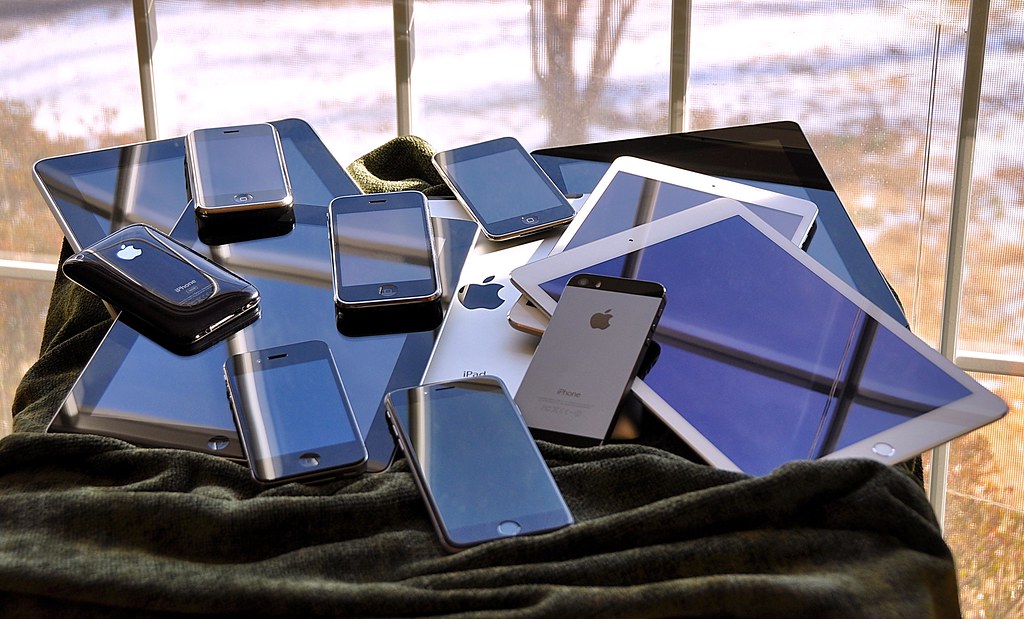
Photo credit: “the iOS family pile (2015)” by blakespot, licensed BY (https://creativecommons.org/licenses/by/2.0/). Source: https://www.flickr.com/photos/35448539@N00/16230041026

