
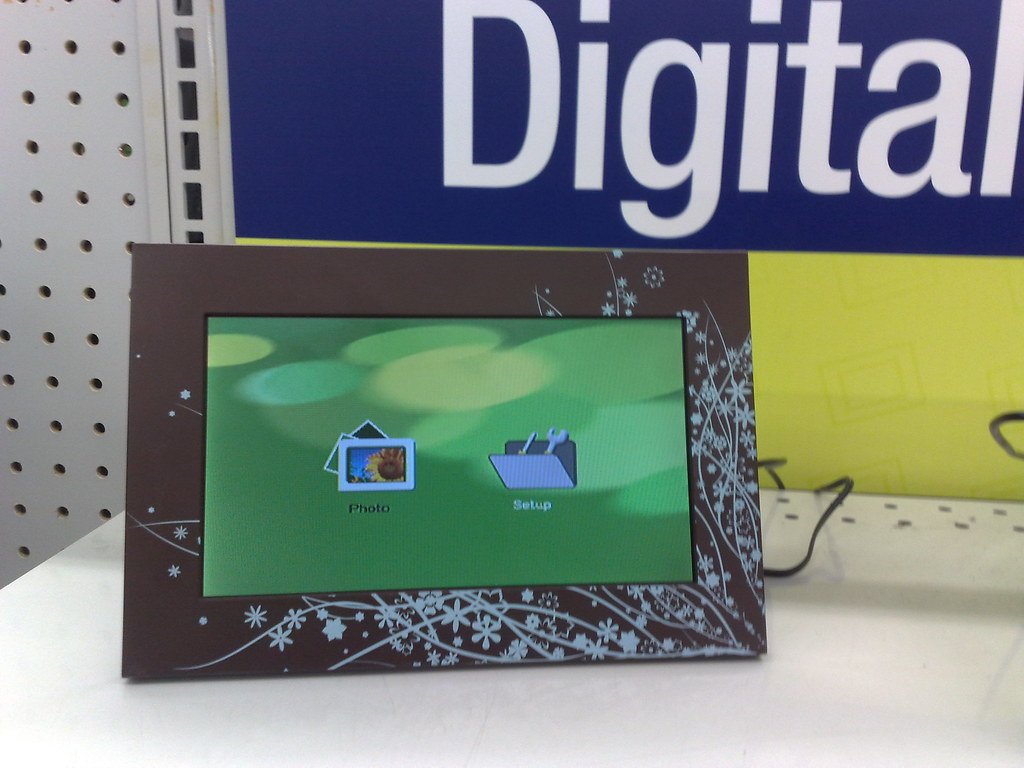
Digital Photo Frame: Key Takeaways
- Aura’s digital photo frame offers unlimited cloud storage with no subscription, subsidized by a higher upfront price.
- Skylight’s digital photo frame uses hybrid storage, keeping photos locally during internet outages.
- Matte anti-glare screens on a digital photo frame reduce glare more than glossy finishes.
- Pairing codes act like passwords; sharing them publicly lets strangers send photos to the frame.
Digital photo frames have become a genuinely popular gift specifically for older relatives, letting family members send photos remotely without the recipient needing to manage any technology beyond plugging the frame in. That convenience depends on a pairing system worth understanding clearly, both for choosing the right frame and for setting it up in a way that avoids a real, specific privacy risk.
Table of Contents
Aura vs. Skylight: The Core Difference
The two leading brands in this category take genuinely different approaches to cost and storage. Aura charges no subscription fee at all, ever, paired with free, unlimited cloud storage, a business model that’s the primary reason Aura frames command a premium price relative to competitors, since that unlimited free storage is being subsidized entirely through the hardware price rather than an ongoing fee. Skylight works without a required subscription for basic use, but paywalls certain premium features, video uploads and extended cloud storage among them, behind a paid tier, a more conventional freemium structure than Aura’s all-inclusive-upfront approach.
Beyond pricing, the two also differ in day-to-day usability: Skylight is generally considered the easier option for elderly users specifically, since photos can be sent via simple email upload in addition to its dedicated app, a lower-friction option for family members who aren’t comfortable with a dedicated photo-sharing app.
Cloud-Only vs. Hybrid Storage
A meaningful technical difference worth understanding before buying: Aura is fully cloud-based, meaning photos live on Aura’s own servers and stream to the frame on demand, which provides real backup and remote-access benefits but makes the frame’s day-to-day function dependent on an active internet connection. Skylight and Nixplay take a hybrid approach instead, storing photos directly on the frame itself, 16GB on the Skylight Frame 2 and 8GB on the Nixplay 10.1-inch model, while also routing photos through and backing them up to the company’s cloud, with expanded storage capacity tied to a paid tier.
That hybrid design means a Skylight or Nixplay frame keeps displaying its stored photos even during an internet outage, a real, practical advantage over Aura’s fully cloud-dependent model for anyone in an area with less reliable internet service.
Screen Size, Resolution, and Anti-Glare Matter More Than Expected
Beyond the storage and subscription model, physical display specs vary enough between models to genuinely affect day-to-day viewing quality. Common sizes run from 10 to 11 inches at the smaller end up to 15 or 16 inches for larger wall or shelf displays, with resolution varying meaningfully within each size class: 10.1-inch frames range from a lower 1,280×800 up to a sharper 1,920×1,200, while 11-inch models reaching 2,000×1,200 offer genuinely crisper detail than the lower end of that range.
Larger 15.6-inch frames commonly run 1,920×1,080. Beyond raw resolution, screen finish is a real, practical factor worth checking directly: matte, anti-glare coatings meaningfully reduce reflection and glare compared to glossy screens, a difference that matters more than the spec sheets suggest for a frame likely to sit near a window or under direct room lighting.
Pricing spans a real range by size and feature set: 15.6-inch frames run as low as $100 to $130, a 10.1-inch anti-glare model runs around $150, an 11-inch 2K anti-glare model runs closer to $180, and one budget-friendly series spans $80 for an 8-inch model up to $180 for 15-inch-plus options.
The Pairing Code Privacy Risk Worth Understanding
This is the detail worth knowing directly before setting one of these frames up, particularly as a gift for someone who won’t personally manage its settings afterward. These frames generally work by generating a share code or QR code that gets handed out to trusted family members, granting them the ability to send photos directly to the frame going forward.
The real risk: if that QR code or share code is visible to someone beyond the intended recipients, displayed on screen where it can be photographed, or shared carelessly, anyone who obtains it can potentially connect to the frame and send their own content without the owner’s knowledge or consent.
Separately, weak account password protection carries its own risk: anyone who guesses or steals the account password could log in, view existing photos, change settings, or link entirely new devices to the account.
What Legitimate Frames Do to Mitigate This
Better-designed frames build real protections around this pairing model rather than leaving it entirely open. Frameo, for instance, uses end-to-end encryption specifically so that only the parties involved in a given photo share can access the transmitted content, meaning an intercepted transmission remains unreadable to anyone outside that specific exchange.
A well-designed frame ecosystem should also give the primary account holder genuine administrative control: the ability to approve new contributors before they gain access, monitor which accounts are currently connected, and immediately revoke access if a specific email address or account is later found to be compromised.
A Practical Setup Checklist
A few concrete steps worth taking when setting up a digital photo frame, especially one being gifted to someone else:
- Keep the pairing QR code or share code private, treating it the same way as a password rather than something safe to display or photograph casually, since anyone who obtains it can potentially connect to the frame directly.
- Periodically review the list of connected accounts and contributors, removing anyone who no longer needs ongoing access rather than leaving old connections active indefinitely.
- Use a genuinely strong, unique account password, given that a compromised password grants full access to view photos, change settings, and add new connected devices.
- Choose a hybrid-storage model (Skylight or Nixplay) over a fully cloud-dependent one (Aura) if the recipient’s internet connection is unreliable, since local storage keeps the frame functional during outages that would otherwise interrupt a fully cloud-based frame’s display.
- Set up the frame for a less tech-savvy recipient before gifting it, adding trusted contributors and confirming the pairing process directly, rather than leaving that setup step for someone less familiar with the privacy implications to handle alone.
Putting It All Together
The right digital photo frame depends on weighing three separate factors together rather than picking the model with the biggest screen or the lowest price alone: the subscription and storage model (Aura’s all-inclusive upfront cost versus Skylight’s freemium tiers), the storage architecture (fully cloud-dependent versus hybrid local-plus-cloud), and the display quality specifics (resolution and anti-glare coating) matched to where the frame will actually sit in a home.
Getting the pairing and privacy setup right at the start, particularly for a frame being gifted to someone who won’t manage its settings afterward, is worth just as much attention as the hardware comparison itself, since a frame with excellent display quality and generous storage still carries the same real pairing-code exposure risk if that setup step gets skipped.
Sources: Aggregated 2026 digital photo frame reporting from Tom’s Guide and NearHub, cross-checked against frame manufacturer privacy and security documentation.
Bottom Line
Choose a hybrid-storage digital photo frame if the recipient’s internet is unreliable, then set up the frame yourself before gifting it. Review connected accounts regularly and keep the pairing code private.
Related Reading
- Building a Smart Home That Doesn’t Report Back to Amazon
- A Flaw in One Baby Monitor Platform Exposed Over a Million Cameras. Here’s the Everyday Mistake Behind Most Baby Monitor Hacks.
- A Ring Doorbell Can Cost $920 Over Three Years. Here Are Five That Cost $35 to $180, Total.
Further reading: Digital photo frame (Wikipedia).
Photo credit: “digital photo frame” by osde8info, licensed CC BY-SA 2.0 (https://creativecommons.org/licenses/by-sa/2.0/). Source: https://www.flickr.com/photos/8764442@N07/4252347464

