
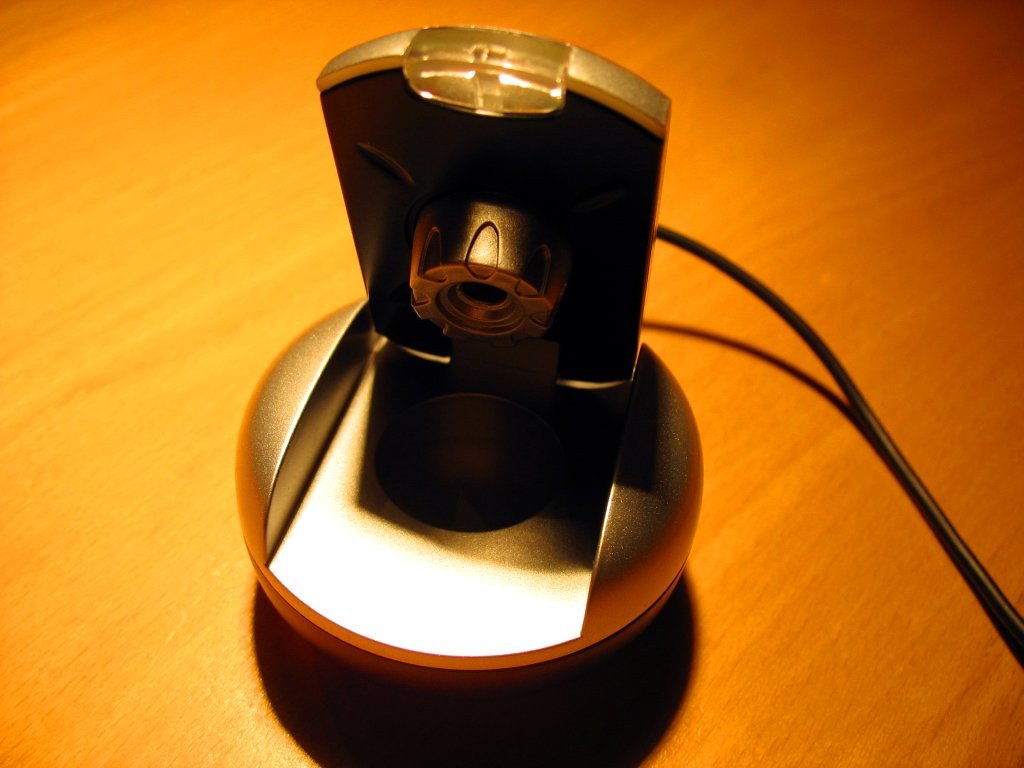
Webcam marketing leans hard on resolution, 1080p, 2K, 4K, prominently displayed as the headline spec, but the actual image quality a webcam delivers depends more on its sensor size and autofocus system than the raw pixel count alone. Understanding that distinction, plus a genuinely under-discussed security risk specific to webcams, matters more to a good purchase than chasing the highest resolution number available.
Table of Contents
Why Sensor Size Beats Resolution
This is the single most counterintuitive, most useful fact in webcam shopping: a larger image sensor at a lower resolution frequently outperforms a smaller sensor at a higher one. A webcam with a 1/1.3-inch sensor shooting at 1080p will typically produce a better-looking image than a webcam with a 1/3-inch sensor shooting at 4K, in most real-world lighting conditions, delivering better low-light performance, better dynamic range, and more natural depth of field.
That’s because a larger sensor physically captures more light per pixel, which matters more for perceived image quality than simply having more pixels to work with, especially in the mixed, often imperfect lighting most home offices and video calls actually happen in.
Matching Resolution to Actual Use Case
That said, resolution isn’t irrelevant, it’s just not the deciding factor on its own. For standard video calls, 1080p or 2K resolution is genuinely sufficient; anything higher doesn’t meaningfully improve the call experience for the people on the other end. 2K (2560×1440) has emerged as a real sweet spot specifically for call quality, noticeably sharper than 1080p at typical compression levels without demanding the higher bandwidth 4K requires.
Streamers and content creators are the group where 4K resolution combined with a wide dynamic range genuinely earns its place, since that footage is often recorded and reviewed at full quality rather than compressed in real time for a video call.
Autofocus and Aperture: The Specs Worth Prioritizing Instead
Beyond sensor size, two other specs deliver more real-world image quality improvement than resolution: autofocus type and aperture. Phase-detection autofocus (PDAF) is considered the current gold standard, locking focus instantly rather than visibly hunting back and forth the way older contrast-based autofocus systems do, a genuinely noticeable difference during a live call when a webcam has to refocus after someone leans forward or moves.
For low-light performance specifically, a wider aperture, a lower f-number, collects more light and produces more natural depth of field; an f/1.85 to f/2.0 aperture range is considered excellent for a webcam’s practical purposes, a real spec worth checking directly rather than assuming any webcam handles dim home-office lighting equally well.
Why a Dedicated Webcam Still Beats a Laptop’s Built-In Camera
Most modern laptops ship with a built-in camera, but they consistently underperform a dedicated external webcam in clarity, color accuracy, and low-light handling, largely because a laptop’s thin lid has far less physical room for a quality sensor and lens than a dedicated webcam’s dedicated housing.
For anyone spending meaningful time on video calls, the upgrade from a built-in laptop camera to even a modestly priced dedicated webcam with a larger sensor and real autofocus is a genuinely noticeable, worthwhile improvement, more so than upgrading resolution alone within either category.
Field of View Should Match How Many People Are on Camera
Field of view is another spec worth matching deliberately to actual use rather than assuming wider is always better. A 78-degree field of view suits a single person on camera, framing them appropriately without excess empty space on either side. A 90-degree field of view accommodates two people seated side by side at a typical webcam distance of a foot or two. A 110-degree field of view can fit three people in frame, though noticeably more tightly packed together.
For group settings beyond that, a 110-degree-or-wider field of view becomes necessary, but wider fields of view introduce real lens distortion as a tradeoff, meaning a webcam bought specifically for solo video calls with an unnecessarily wide field of view ends up showing more background than a subject, at the cost of some edge distortion that a properly matched narrower field of view wouldn’t introduce.
Built-In vs. External Microphone Quality Varies More Than Expected
Nearly every webcam includes a built-in microphone, but the actual quality varies more widely than most buyers expect, meaning “has a built-in mic” and “has a good built-in mic” are genuinely different claims. Some webcams use dual stereo microphones capable of capturing natural-sounding audio good enough that people on the other end of a call often don’t realize a webcam’s microphone, rather than a dedicated USB mic, is being used at all.
Budget models’ noise-canceling microphones can perform adequately for straightforward one-on-one calls but show real limitations in more demanding scenarios: a larger room, multiple people speaking, or a noisy environment where keyboard clicks, computer fan noise, and echo become noticeably more audible than they would through a dedicated external microphone.
For anyone doing frequent multi-person calls or working in a less acoustically controlled space, pairing a webcam with a separate microphone remains the more reliable choice over relying on even a well-reviewed built-in mic.
The Real Security Risk Worth Taking Seriously
Beyond image quality, webcams carry a specific, documented security risk worth understanding directly: Remote Access Trojans, malware that lets an attacker secretly control an infected device from anywhere, including the ability to hijack a webcam entirely without the user’s knowledge. This isn’t a hypothetical; RAT malware being used specifically to spy on individuals through their own webcams has led to real, documented cases of blackmail and harassment.
The clearest warning sign of this kind of compromise is a webcam’s indicator light activating unexpectedly, particularly when no video call application is actively running at the time; irregular, unexplained webcam activity of that kind is a genuine signal worth investigating rather than dismissing.
Given that a compromised, uncovered webcam can potentially let an attacker watch a room continuously and indefinitely, keeping a physical cover over the lens whenever the camera isn’t actively in use is a simple, effective, and widely recommended precaution regardless of how good a specific webcam’s antivirus protection or software security otherwise is.
A Practical Buying Checklist
A few concrete steps worth taking given everything above:
- Check sensor size specifically, not just resolution, treating a larger sensor at a lower resolution as a real contender against a smaller sensor’s higher-resolution claim rather than dismissing it as the lesser spec.
- Prioritize phase-detection autofocus and a wide aperture (f/1.85-f/2.0 range) for video call use, since these deliver more noticeable everyday image quality than resolution alone.
- Match resolution to actual use: 1080p or 2K for calls, 4K specifically for streaming or content creation where the higher-resolution footage is actually being recorded and reviewed.
- Buy or use a physical lens cover, treating it as a basic, low-cost safeguard against the documented RAT webcam-hijacking risk rather than an unnecessary precaution.
Sources: Aggregated 2026 webcam buying guide reporting from TechRadar and Tom’s Hardware, cross-checked against cybersecurity reporting on remote access trojan webcam risks.
Related Reading
- Most Soundbars Advertising Dolby Atmos Don’t Have a Single Speaker Pointed Up. Here’s How to Tell the Real Ones Apart.
- OLED Gaming Monitor Burn-In Warranties Now Run Up to 4 Years, But ‘Normal Use’ Is the Word That Matters Most.
- A Dash Cam’s Legality Isn’t the Question. Where You Mount It, and Whether Its Microphone Is On, Actually Is.
Further reading: Webcam (Wikipedia).
Photo credit: “Webcam” by Uwe Hermann, licensed CC BY-SA 2.0 (https://creativecommons.org/licenses/by-sa/2.0/). Source: https://www.flickr.com/photos/73628542@N00/92145961

