Samsung Wallet added the ability to unlock a smart door lock with a tap back in March, quietly extending a feature it already offered for car keys into the front door. Most of the coverage at the time was launch-day announcement writing: what it does, which locks support it, a quote about security. Five months on, with more lock brands added and no major security incident to report, the more useful question isn’t what this is, but whether it’s worth replacing a working deadbolt to get it.
How It Works
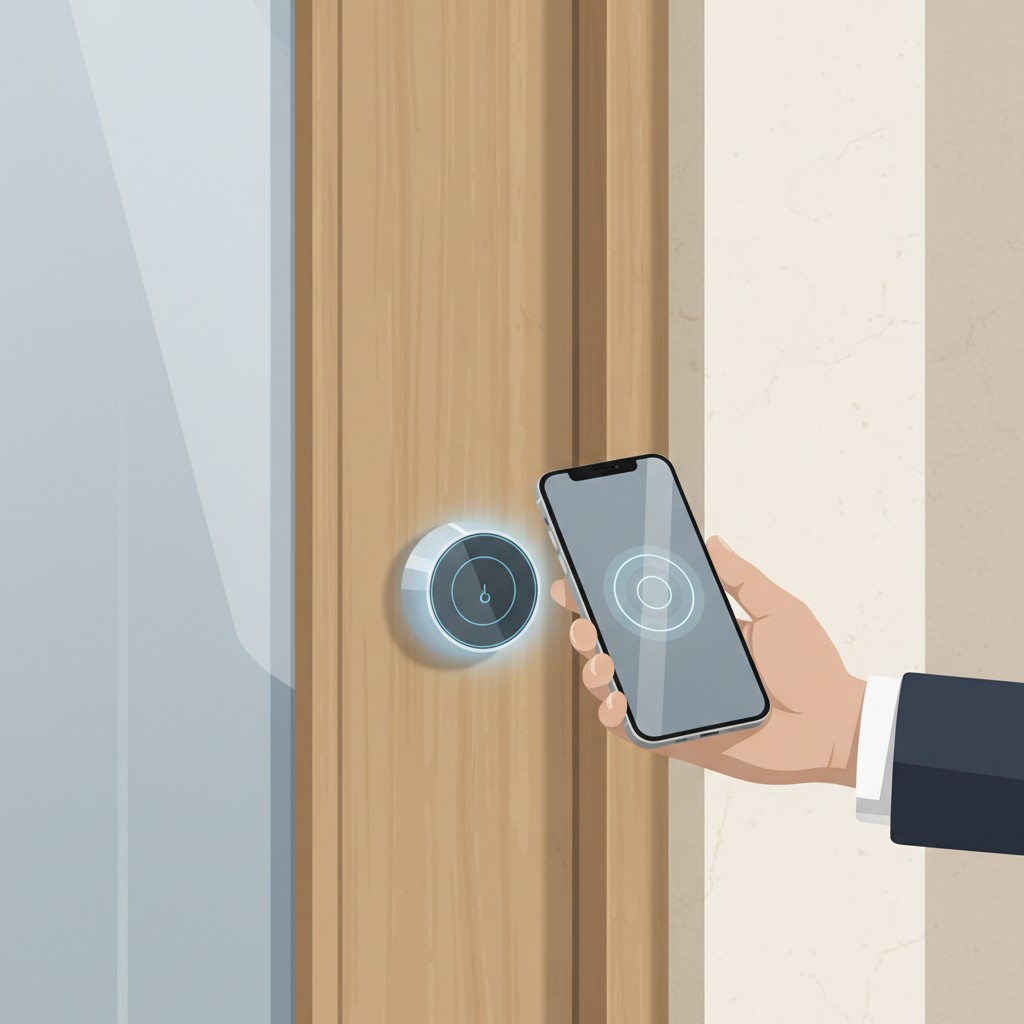
Once a compatible smart lock is set up through the SmartThings app, you add a Digital Home Key to Samsung Wallet the same way you’d add a car key or a transit card, then authenticate once with a fingerprint or PIN. After that, unlocking is a tap: hold the phone near the lock and it opens over NFC, the same near-field technology your phone already uses for contactless payments. Newer supported hardware also allows hands-free unlocking over ultra-wideband (UWB), which detects the phone’s proximity as you approach the door without requiring a deliberate tap, closer to how a modern car’s proximity key works than to a traditional badge-tap system. Keys are secured through Samsung Knox, and Samsung states the implementation is designed to meet EAL6+ grade certification, a security evaluation standard more commonly associated with payment cards and government ID than consumer smart-home gadgets.
This Isn’t the First Phone-as-Key System, and That Context Matters
Apple has offered a broadly similar feature, HomeKit’s Home Key, since 2021, working with a smaller set of NFC-compatible locks including some Schlage and Level models. That precedent is worth knowing specifically because it changes how Samsung’s version should be read: this isn’t Samsung inventing phone-based lock access, it’s Samsung building the same concept on top of an open, multi-vendor standard rather than a single company’s closed implementation. Apple’s Home Key locks work with Apple devices; Samsung’s Digital Home Key locks work with Galaxy devices. The genuine difference is what happens underneath: Aliro-certified hardware isn’t tied to staying inside one company’s ecosystem indefinitely the way a HomeKit-exclusive lock effectively is, since Aliro is an industry standard rather than a single vendor’s proprietary protocol. For a shopper choosing hardware today, that’s a real, practical distinction, not just a branding one.
It’s Not a Samsung-Only Lock, and That’s the Part That Matters
The detail separating this from a typical smart-lock feature is the standard it’s built on. Digital Home Key runs on Aliro, an open smart-lock access protocol from the Connectivity Standards Alliance, the same industry body behind Matter. That matters because Samsung isn’t locking anyone into Samsung-branded hardware to use this: compatible locks currently come from Aqara, Nuki, Schlage, and Xthings (Ultraloq), spanning a real range of price points and design styles rather than a single proprietary product line. This site has written before about how Matter’s ecosystem promises haven’t always matched reality, with different platforms implementing different feature subsets and compatibility gaps between specific devices and hubs. Aliro is a narrower, newer standard than Matter overall, but the same logic applies in reverse here: because it’s a real open standard rather than a single vendor’s closed system, a lock bought today has a better chance of remaining useful after a phone, ecosystem, or hub switch down the line, compared to a lock tied to one company’s proprietary app from the start.
What It Takes to Set Up
The realistic path to using this isn’t just downloading an app; it starts with buying and installing a physically new lock. None of the four supported brands are add-on modules for an existing deadbolt. Each is a full smart lock replacement, meaning the real cost of adopting this feature is whatever a new Aqara, Nuki, Schlage, or Ultraloq unit costs installed, not just Samsung Wallet setup time. Pricing across the four varies meaningfully: Aqara and Nuki’s Aliro-certified models tend to sit in a mid-range bracket comparable to most connected deadbolts, while Schlage’s certified line skirts closer to premium residential-lock pricing, reflecting Schlage’s broader positioning as a traditional lock brand rather than a smart-home-first one. Once the physical lock is in, the software side is genuinely simple: connect it in SmartThings, add the home key to Wallet, authenticate, and test the tap. That simplicity is worth noting because it’s the inverse of most smart-lock frustration stories, which are usually about the app experience, not the phone-to-lock handshake. Samsung’s part of this is the easy part.
Where This Beats a Typical Smart Lock
Most smart locks already offer some phone-based unlocking through their own app, often over Bluetooth, with the well-known tradeoffs: a laggy connection handshake, a separate app per lock brand, and no interoperability if you switch phone ecosystems. Digital Home Key’s NFC-based unlock is faster and more consistent than a typical Bluetooth-app unlock because NFC doesn’t require the same background-connection negotiation, and centralizing the key in Samsung Wallet rather than a lock-specific app means one consistent unlock experience regardless of which of the four supported brands is chosen. The UWB hands-free option, where supported, removes the tap step entirely, a genuine convenience improvement over pulling out a phone and holding it near the lock, for anyone regularly walking up to their door with hands full of groceries or a stroller.
What Happens When the Phone Dies
This is the question every phone-as-key system eventually has to answer, and it’s worth answering plainly rather than glossing over. A dead battery or a phone left at the office turns into a lockout risk in a way a physical key in a pocket never was. All four supported lock brands keep their standard PIN, fingerprint, or physical-key options as fallbacks, so Digital Home Key functions as an additional unlock method layered on top of the lock’s normal ones, not a replacement that strips them out. Practically, that means the household still needs at least one non-phone-dependent way in agreed on ahead of time, a spare physical key, a memorized PIN, a second household member’s fingerprint on file, rather than assuming the phone is the only access method that will ever be needed.
Where It Doesn’t Help at All
This only works if the household includes Galaxy phone owners for everyone who needs regular access, or is willing to rely on the lock’s other unlock methods. A mixed-ecosystem household with a mix of iPhones and Android phones gets no shared benefit from this specific feature, though the underlying lock still works normally through its own app or keypad for anyone not on a Galaxy device. iPhone owners aren’t locked out of buying any of these four lock brands, just out of the specific Samsung Wallet convenience layer on top of them, and would need those locks to also carry Apple’s own Home Key certification separately to get an equivalent tap-to-unlock experience.
Is It Worth Switching Locks For
If already shopping for a new smart lock, moving, renovating, replacing a failing lock, buying one of the four Aliro-certified options over a comparable non-Aliro smart lock costs nothing extra and adds this capability for free for Galaxy users, with no real downside for anyone who isn’t. If the current lock is working fine and the only reason to switch would be tap-to-unlock specifically, the calculation is less obvious. That’s paying for a full lock replacement to save a few seconds versus the lock’s existing app or keypad, for a convenience that only helps Galaxy-phone household members. For most people, this is a feature worth choosing when buying a lock anyway, not a reason to replace one that already works.