Switching iPhone to Android: Key Takeaways
- Switching iPhone to Android means losing seamless AirPods features like automatic device switching and Spatial Audio.
- Switching iPhone to Android leaves the Apple Watch unusable because it cannot pair with Android.
- iMessage stays exclusive to Apple, so switching iPhone to Android turns group chats into green bubbles.
- Android offers simpler file management and often better keyboards, but these gains don’t fully replace lost ecosystem features.
Every year, a new flagship launch talks someone into finally switching sides, iPhone to Android or the other way around. What rarely makes it into that decision is the list of small, annoying frictions that only show up after the SIM card has already moved. Engadget’s Adnan Ahmed recently wrote about exactly that, based on his own recent switch from an iPhone 15 Pro Max to a OnePlus 15, after a lifetime as an Android user starting with a Samsung Galaxy Ace years earlier.
Table of Contents
His experience is a useful reality check for anyone assuming a phone switch is just a phone switch.
It isn’t. Apple and Google don’t just make different phones; they’ve built different ecosystems around them, and switching operating systems means renegotiating your relationship with every accessory and service tied to the one you’re leaving.
The Ecosystem Tax Nobody Mentions in the Ad
The most obvious friction is the one Apple designs on purpose: its services work best inside its own walls. iCloud+ is noticeably less smooth on Android than it is on an iPhone, while Google One is the more natural fit once you’ve actually switched. That’s not an accident; it’s a deliberate piece of Apple’s ecosystem strategy.
iMessage is the sharpest version of this. It’s still exclusive to Apple devices, which means every group chat with iPhone-owning friends or family turns your texts into the green bubbles everyone quietly judges. RCS support on iPhone has improved cross-platform messaging somewhat, but it hasn’t erased the social friction of being the one person doing something different.
Your AirPods Still Work. Mostly.
AirPods will pair with an Android phone. Basic playback works fine. What disappears is everything that made them feel special on an iPhone in the first place: automatic switching between devices, one-tap setup, and the tight integration that made them feel less like “wireless earbuds” and more like an extension of the phone.
Spatial Audio with head tracking is the clearest casualty. Third-party tools like LibrePods can partially recreate the feature on Android, but “partially” is doing a lot of work in that sentence: recreating a feature isn’t the same as replacing it.
If AirPods are the main reason your ears are happy, it’s worth trying a friend’s Android phone with your existing pair before committing to a switch, rather than finding out afterward.
The Apple Watch Doesn’t Come With You
This is the one that catches people off guard the most: Apple Watch cannot pair with an Android phone at all. Not “with reduced features,” not paired, period. If health and workout tracking data matter to you, switching phones means either abandoning that hardware entirely or holding onto your old iPhone purely to keep the watch alive, which defeats a lot of the point of switching in the first place.
Anyone with a meaningful investment in Apple Watch, multiple years of workout history, a favorite band collection, a training streak they don’t want to lose, should treat this as a dealbreaker question to answer before anything else, not an afterthought.
What You Actually Gain
The friction runs both directions, and it’s worth being fair about what improves once you’re on Android:
- File management. Android’s approach to downloads and file handling is more straightforward than iOS’s, where finding a downloaded file can feel like a small scavenger hunt.
- Keyboard quality. This is more subjective, but it’s a common enough complaint that it’s worth naming: several longtime switchers, Ahmed included, find the iOS keyboard clunky by comparison.
- Cross-platform file sharing is improving. Modern Android phones can now send and receive files with iPhones over AirDrop-compatible protocols.
None of these fully offset losing Apple Watch sync or AirPods’ full feature set, but they’re real, and they’re often left out of “should I switch” conversations that only focus on what you’d be giving up.
The App You Didn’t Think About
Ecosystem lock-in isn’t only about Apple’s own products. Some genuinely useful apps are iOS-exclusive, full stop. Flighty, the flight-tracking app, is one Ahmed calls out by name. If there’s a specific app you rely on daily, it’s worth a five-minute search to confirm it exists on Android before assuming it will.
Apple also benefits from a quieter advantage: because there are fewer iPhone models to design for, developers can polish iOS apps more tightly than they often can across Android’s much wider range of screen sizes and chipsets. It’s not that Android apps are worse by design; it’s that consistency is easier to achieve on a smaller, more uniform hardware lineup, and iPhone’s build quality, haptics, and camera performance tend to hold that consistency across the whole range in a way Android’s fragmented market structure makes harder to guarantee.
So Is It Worth It?
There isn’t a universal answer, and anyone telling you there is one is selling something. What the switching experience actually comes down to is which specific dependencies you have, not phone brand loyalty in the abstract. Before switching either direction, it’s worth actually answering:
- Do you own an Apple Watch, and would losing it matter to you?
- How much of your day-to-day audio experience depends on AirPods’ automatic-switching magic, versus just “earbuds that play sound”?
- Is there a specific app you use constantly that might not exist, or might not be as good, on the other platform?
- How many people in your regular group chats are on iPhone, and how much do green bubbles actually bother you?
None of these questions have a right answer. They just have an honest one, and it’s usually more useful than whatever a launch-day headline is telling you to feel.
*Source: Engadget — “The downsides of switching from iPhone to Android”*
Bottom Line
Before switching iPhone to Android, list the Apple services and devices you rely on daily. Then test your AirPods and key apps on a friend’s Android phone to see if the experience works for you.
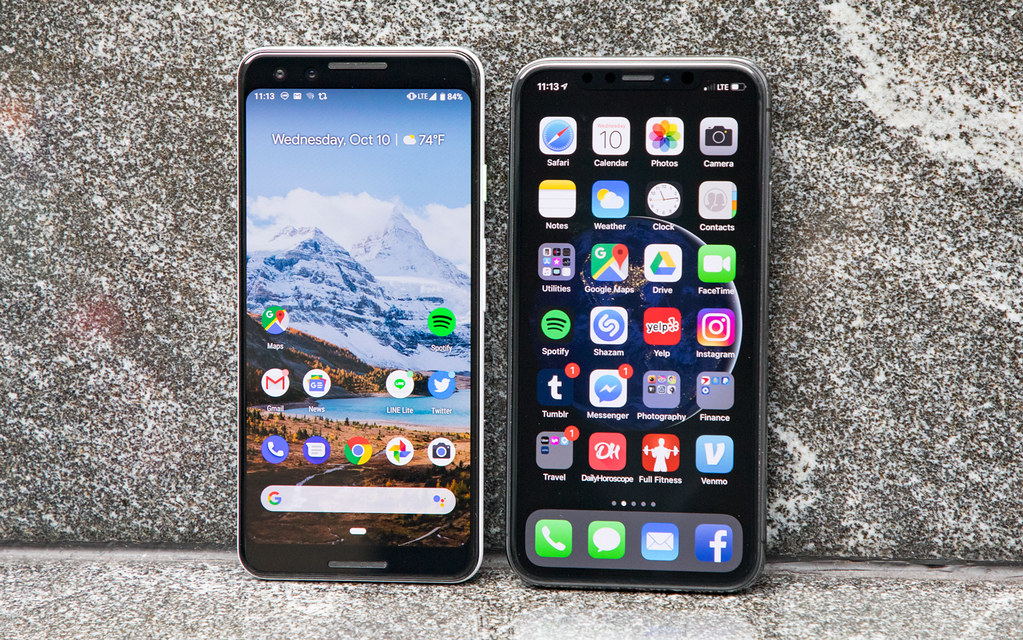
Photo credit: “Short comparison between Pixel 3 and iPhone XS” by faustinoverstreet, licensed BY-SA (https://creativecommons.org/licenses/by-sa/2.0/). Source: https://www.flickr.com/photos/187059875@N03/49558111211