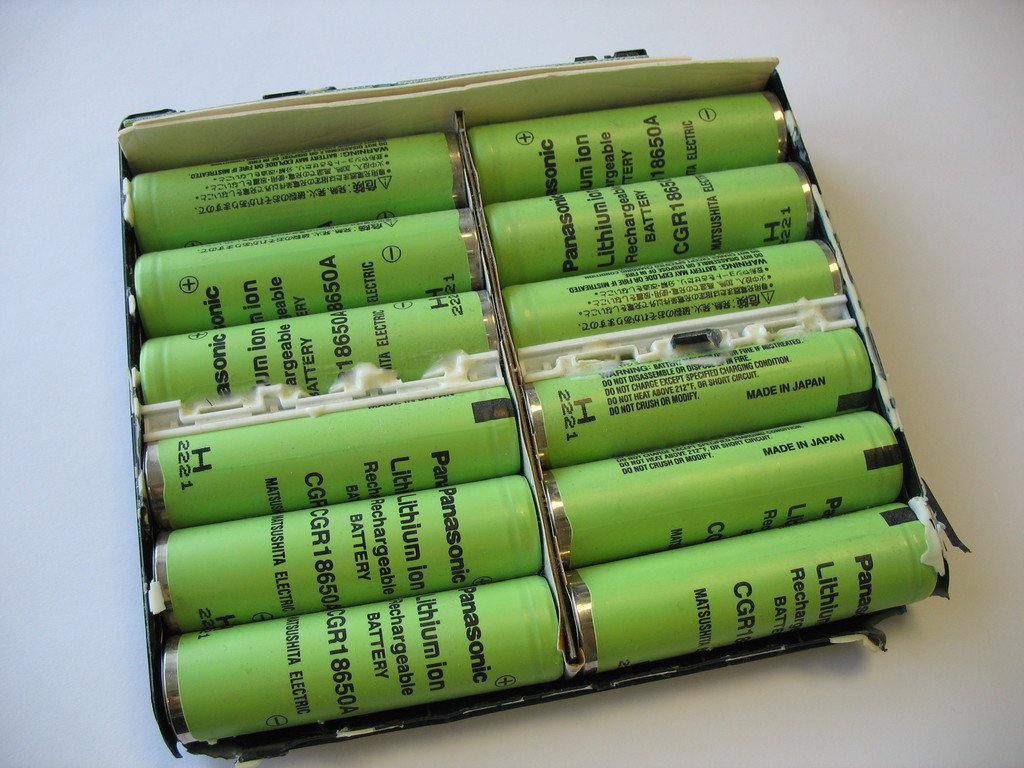
Laptop Battery Replacement: Key Takeaways
- A laptop battery replacement typically costs $80 to $150, roughly ten times less than buying a comparable new laptop.
- Checking actual battery capacity percentage through built-in tools provides a more reliable indicator for laptop battery replacement decisions than age or cycle count alone.
- Heat exposure and repeated full discharge cycles accelerate degradation, making laptop battery replacement necessary sooner for heavily used machines.
- Proper disposal of old batteries through e-waste centers or retailer programs prevents environmental harm and recovers valuable materials.
A laptop that’s gotten noticeably slower to hold a charge is, more often than most owners assume, a battery problem rather than a reason to replace the entire machine. Battery replacement typically runs $80 to $150, against $800 to $1,500 for a comparable new laptop, a roughly tenfold difference in cost for often the exact same underlying performance complaint. Checking the actual battery health number before assuming the whole laptop needs replacing is worth five minutes.
Table of Contents
How Laptop Batteries Degrade
Lithium-ion batteries, the standard chemistry in nearly all modern laptops, are rated for somewhere between 300 and 1,000 full charge cycles before capacity drops below 80% of the original factory rating, with most laptops falling in the 300-to-500-cycle range specifically. A full charge cycle counts as using 100% of the battery’s capacity, whether that happens in one continuous session or accumulated across several partial charges and top-ups throughout a day.
In practical terms, most laptop batteries reach that noticeable degradation point somewhere between 2 and 5 years of typical use, depending heavily on how the laptop is actually used day to day.
The Real Indicator: Capacity, Not Age or Cycle Count Alone
Cycle count and age are useful reference points, but the number that actually matters is current capacity as a percentage of the battery’s original factory capacity. Once a battery drops below roughly 70 to 80% of that original capacity, most users start noticing real, practical effects: reduced runtime that doesn’t match expectations, inconsistent performance under load, and in more advanced cases, unexpected shutdowns even when the battery indicator shows a reasonable percentage remaining, along with rapid percentage drops or noticeable overheating during charging.
These symptoms often show up before a laptop hits its maximum rated cycle count, which is exactly why checking actual current capacity, not just doing rough math on age or cycle count, is the more reliable signal.
How to Check This on a MacBook
Apple builds a direct battery health check into macOS: open System Settings, click Battery, then click Battery Health to see a straightforward one-word status, either “Normal” or “Service Recommended.” For the more detailed cycle count number, hold the Option key while clicking the Apple menu, open System Information, and navigate to Power, where Cycle Count appears under Health Information.
Apple designs its laptop batteries to maintain up to 80% of original capacity through their maximum rated cycle count, which varies by model but runs up to 1,000 cycles on recent MacBooks, meaningfully higher than the 300-to-500 range common on many Windows laptops.
Checking Battery Health on Windows
Windows doesn’t build in as prominent a one-click battery health summary as macOS does, but a built-in diagnostic tool still exists: running “powercfg /batteryreport” from an elevated Command Prompt generates a detailed HTML report showing design capacity versus current full-charge capacity, plus a cycle count and charge history, giving the same essential capacity-percentage answer through a slightly less discoverable path than Apple’s dedicated settings panel.
What Speeds Up Battery Degradation
Two factors matter more than almost anything else in how fast a laptop battery degrades: heat exposure and frequent full discharge-to-full-charge cycles. Running a laptop under heavy load for extended periods, especially in a hot environment or with blocked ventilation, accelerates the chemical degradation inside lithium-ion cells measurably faster than normal use. Repeatedly draining a battery close to empty before recharging to 100% also wears cells faster than a habit of more frequent, partial charging, which is the specific reasoning behind tools and built-in features that cap charging around 80% for laptops that spend most of their life plugged in at a desk, reducing the time cells spend sitting at a full, more chemically stressed charge state.
Don’t Throw the Old Battery in the Trash
Once a replacement battery is in, the old one shouldn’t go into regular household trash, a real safety and environmental issue rather than just a compliance formality. A damaged or degraded lithium-ion cell tossed into general waste can leak chemicals that contaminate soil and water, and poses a genuine fire risk in waste facilities where it can be crushed or punctured alongside other trash.
Proper disposal options are widely available and free in most areas: local e-waste centers, retailers like Best Buy and Staples that accept battery drop-offs, Call2Recycle collection points at The Home Depot, and manufacturer take-back programs run by companies like Dell and Apple.
Recycling also recovers genuinely valuable materials, cobalt, lithium, and nickel among them, supporting the broader supply chain for new batteries rather than sending those materials to a landfill, and proper battery recycling is legally required in many regions regardless of the environmental argument on its own.
Making the Actual Replace-or-Buy-New Decision
A few honest questions worth running through before committing to either path:
- Is the laptop’s non-battery performance still acceptable for your needs? If the processor, RAM, and storage are still handling daily tasks fine and battery life is the specific, isolated complaint, a replacement battery addresses the actual problem directly rather than paying for an entirely new machine to fix one component.
- Is the laptop’s battery user-replaceable, or does it require professional service? Many modern ultrabooks have batteries that are glued or otherwise not designed for easy owner replacement, which shifts the cost toward the higher end of the $80-to-$150 range once labor is included, still a fraction of a new laptop’s cost but worth confirming before assuming a DIY fix.
- How old is the rest of the hardware? A laptop that’s also falling behind on processing power, storage speed, or software compatibility is a different calculation than one that’s otherwise current but specifically battery-worn; a battery replacement on genuinely obsolete hardware is a shorter-term fix than the same replacement on an otherwise-capable machine.
- Check the actual capacity percentage before deciding anything, using the built-in tools described above, rather than assuming based on subjective impressions of battery life alone, since a laptop that feels like it’s degrading might still be well within normal range, or might be worse than assumed.
Repair Difficulty Varies More Than the Price Range Suggests
The $80-to-$150 replacement cost range assumes a battery that’s reasonably accessible to service, and that assumption doesn’t hold equally across every laptop on the market. Some manufacturers still design batteries as a user-swappable component secured with a few screws, a genuinely quick DIY job for anyone comfortable opening a laptop case. Others, particularly slim modern ultrabooks, glue the battery directly to the chassis, requiring careful heat or solvent application to remove safely, a job that pushes firmly into professional-service territory given the real risk of puncturing a lithium-ion cell during a botched DIY attempt.
That repair-difficulty spectrum is worth checking specifically for a given laptop model before assuming a straightforward, low-cost swap; the parts cost stays in a similar range either way, but the labor cost, and the practical decision of whether to attempt it personally, can differ substantially based on how the specific model was actually designed.
Sources: Aggregated 2026 laptop battery lifespan and replacement cost reporting, cross-checked against Apple’s own battery health and cycle count documentation.
Bottom Line
Before committing to a laptop battery replacement, verify your machine’s current capacity percentage using macOS Battery Health or Windows powercfg report. If capacity falls below 70-80% and other components meet your needs, schedule service or order a compatible battery.
Related Reading
- A ‘Solar Generator’ Isn’t a Generator. Here’s What You’re Actually Buying, and Why the Battery Chemistry Matters More Than the Price.
- Anker Recalled Nearly 500,000 Power Banks Over Fire Risk. Check Your Model Number Now.
- Buying a Used PS5? Here’s the Overheating Issue Worth Checking For
Further reading: Lithium-ion battery (Wikipedia).
Photo credit: “Toshiba laptop battery PA3166U-1BRS open top” by Uwe Hermann, licensed CC BY-SA 2.0 (https://creativecommons.org/licenses/by-sa/2.0/). Source: https://www.flickr.com/photos/73628542@N00/4794537408