
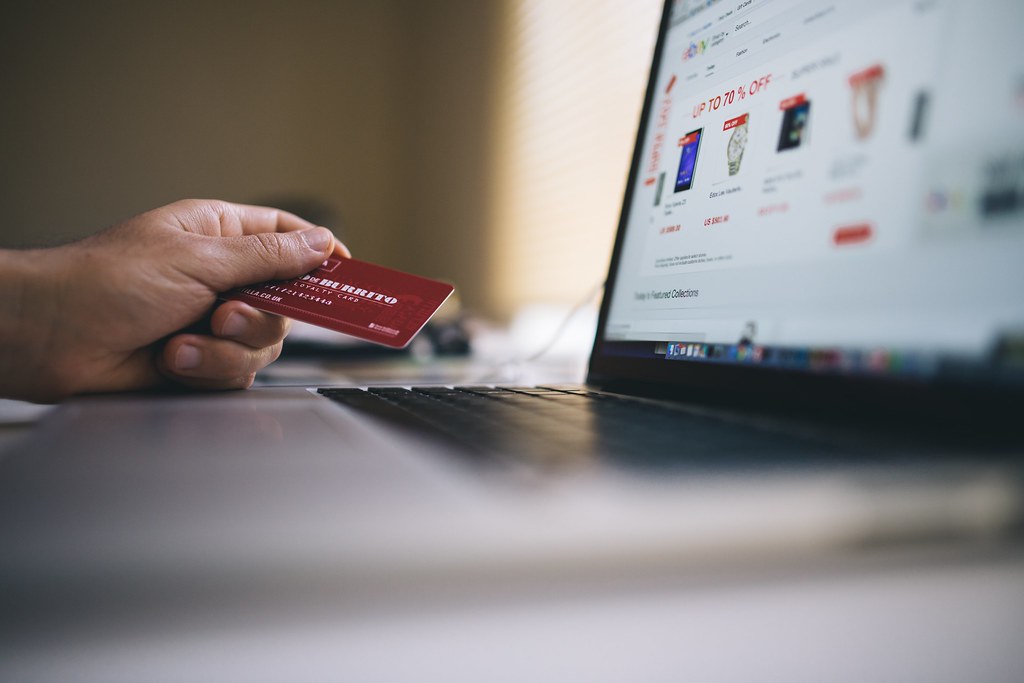
Shop Online Safely: Key Takeaways
- Using a credit card instead of a debit card gives stronger legal protection when you shop online safely.
- Digital wallets tokenize your card number, so the merchant does not see the real digits while you shop online safely.
- Avoid sellers who demand wire transfers, gift cards, or cryptocurrency, as these payments are hard to reverse when you shop online safely.
- Check the URL, look for a physical address, and read independent reviews before entering payment details.
Most online shopping safety advice starts and ends with “look for the padlock.” That advice is more than a decade out of date, and following it alone gives a false sense of security. The things that actually protect your money when you shop online are less obvious: which payment method you choose, how your card number is handled, and a handful of quick checks before you type anything in.
Table of Contents
Why the Padlock Doesn’t Prove a Site Is Legitimate
The padlock and the “https://” at the start of a web address mean one specific thing: the connection between your browser and that website is encrypted, so nobody can read the data in transit. They do not mean the website is honest, that the business exists, or that it will ever ship your order.
Scammers figured this out long ago. Phishing sites routinely use HTTPS too. Getting an encryption certificate is cheap and often free, so a fake store can display the exact same padlock as a legitimate one. A padlock tells you the door is locked; it says nothing about who is standing behind it.
The Payment Method Matters More Than the Website
The single most useful protection you control is the type of card you pay with, because US law treats credit and debit cards differently.
Credit cards are covered by the Fair Credit Billing Act. If someone uses your card number without the physical card, you are not liable for the charge, and if the physical card itself is used, your liability is capped at $50. You generally have 60 days from the date of the statement showing the charge to dispute it.
Debit cards fall under the Electronic Fund Transfer Act, which is less forgiving. Your liability is limited to $50 only if you report the problem within two business days of learning about it. Wait longer and it can rise to $500, and if you don’t report within 60 days of the statement that shows the unauthorized withdrawal, your liability can be unlimited.
There is also a practical difference: with a debit card, the money has already left your bank account while the dispute is being sorted out, whereas a disputed credit card charge is borrowed money you haven’t yet paid back.
Many card issuers advertise their own zero-liability policies that go beyond the legal minimums, so it’s worth reading your issuer’s terms, but the legal baseline is the reason a credit card is the safer default for online purchases.
Digital Wallets Hide Your Real Card Number
Paying with a digital wallet such as Apple Pay adds a second layer. Rather than sending your actual card number to the store, the wallet sends a tokenized substitute, a device-specific number paired with a one-time security code generated for that single transaction. The merchant and its payment processor see the token, not your real 16-digit number.
The practical effect is that if a store’s systems are ever breached, the token that leaked is useless for buying anything elsewhere. It also removes the need to type your card details into a website’s checkout form at all, which is where many card-skimming attacks operate.
Payment Methods to Be Wary Of
Legitimate stores accept ordinary credit cards, debit cards, and mainstream wallets. A seller who pushes you toward a wire transfer, a peer-to-peer payment app, gift cards, or cryptocurrency is asking for a payment you generally can’t reverse. That pressure is one of the most consistent warning signs in consumer-protection guidance, and it’s worth treating as a reason to walk away rather than an inconvenience to work around.
Quick Checks Before You Enter a Card Number
A few things take under a minute and catch most bad shops:
- Read the web address letter by letter. Lookalike domains swap characters or add words, such as an extra hyphen or a different ending, to imitate a well-known brand.
- Look for a real business behind the site. A physical address, a working customer-service contact, and clear shipping and return terms are basic. If the only contact method is a web form, be cautious.
- Be suspicious of prices far below every other seller. A brand-new item priced dramatically under the market usually means it’s counterfeit, not delivered, or not what was pictured.
- Search the store’s name plus “reviews” or “scam.” Independent complaints on outside sites tell you more than testimonials on the store’s own pages.
- Check the return policy before buying, not after. Vague or missing return terms are a common feature of stores that don’t intend to honor them.
Habits That Limit the Damage if Something Goes Wrong
No checklist catches everything, so it also helps to shrink the harm from a mistake. Use a unique password for every shopping account, ideally through a password manager, so one breached store can’t unlock the others. Turn on two-factor authentication where it’s offered. Avoid saving your card on sites you’ll rarely use again. And check your statements regularly, since the dispute deadlines above run from the statement date and a charge you notice quickly is far easier to reverse.
What to Do If You Spot a Bad Charge
Contact your card issuer right away using the number on the back of the card, tell them the charge is unauthorized or the item never arrived, and ask to dispute it. Keep screenshots of the order confirmation, the product listing, and any messages with the seller. Acting within the first days matters most, especially on a debit card, where the timing directly affects how much of the loss you may be responsible for.
Bottom Line
Choose a credit card or digital wallet for stronger protection when you shop online safely. Then verify the site’s address, contact info, and return policy before completing any purchase.
Related Reading
- Buying a Gift Online: 7 Checks Before You Pay
- How to Find a Working Discount Code (and Spot a Fake One)
- Fake Countdown Timers and ‘Only 3 Left’ Badges: How to Spot Urgency Tricks Online
Sources: FTC: disputing credit card charges, Apple: Apple Pay security and privacy overview, FTC: how to avoid an online shopping scam this holiday season.
Photo credit: homegets.com, licensed CC BY, via Wikimedia/Flickr/rawpixel.